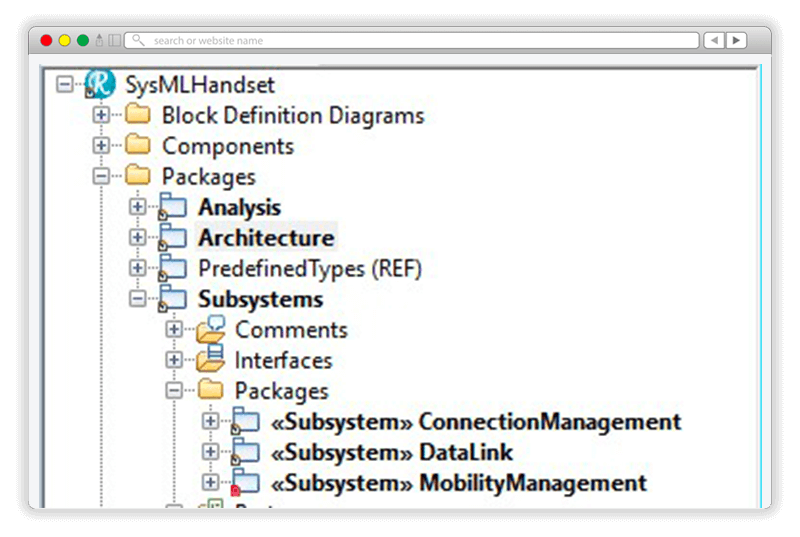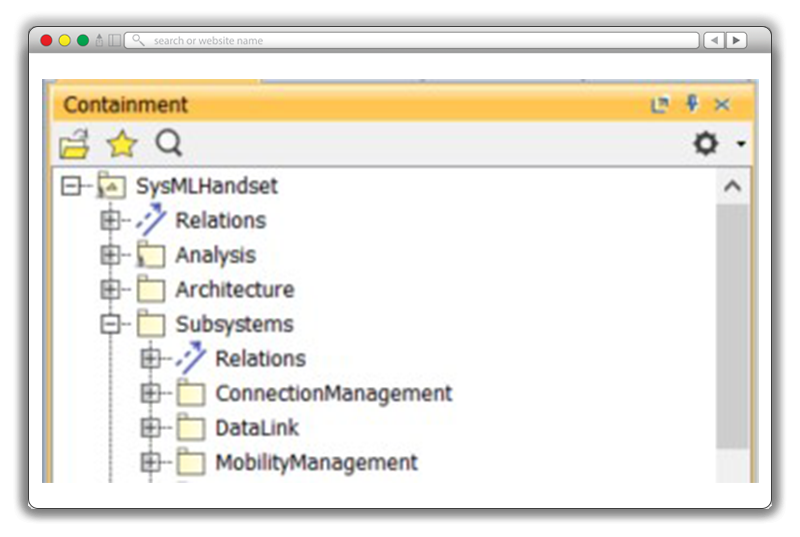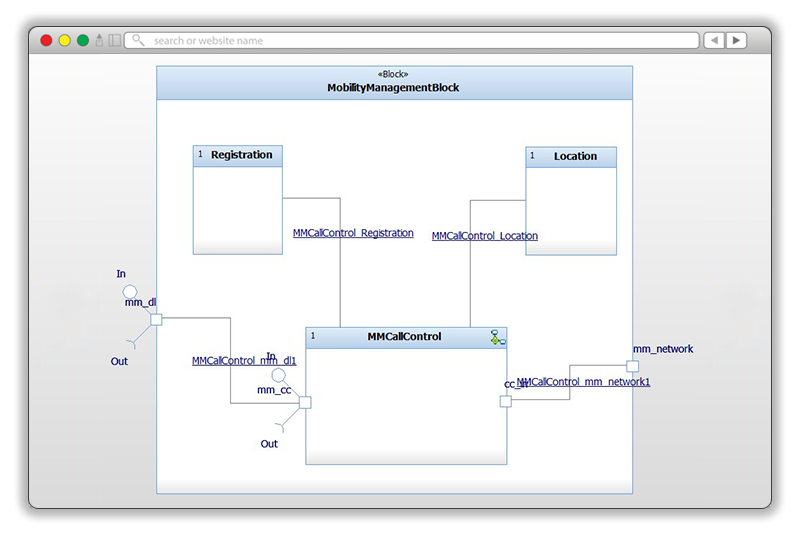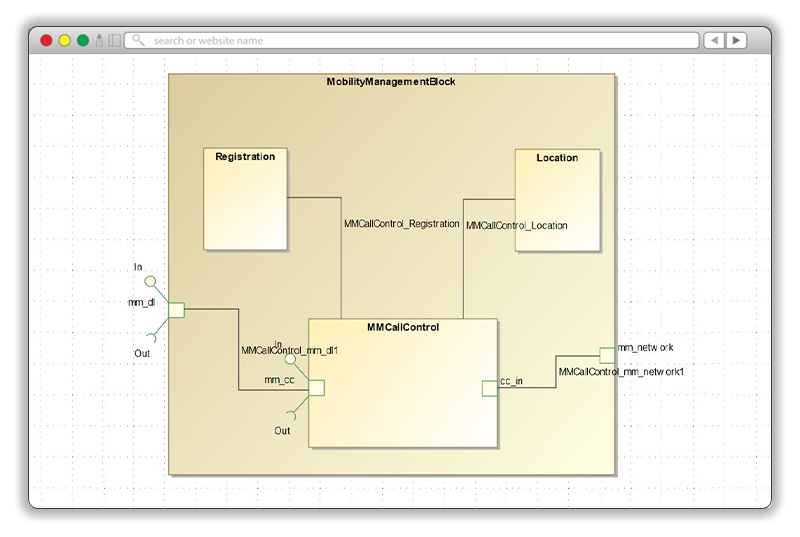














Convert IBM Rhapsody models to Cameo Systems Modeler

Publisher for IBM Rhapsody automates the migration of complete SysML, UML, and UPDM models, preserving every element, diagram, and relationship, so your teams can deliver in Cameo without starting over.

Publisher for Rhapsody to Cameo MagicDraw
PRODUCT OVERVIEW

What is Publisher for IBM Rhapsody?

Publisher for IBM Rhapsody is the industry-standard tool for migrating systems models from IBM Rhapsody into Cameo Systems Modeler (MagicDraw). Trusted by the world's most demanding defense and aerospace programs, it converts complete models automatically in a single publish, while retaining model structure, diagrams, and traceability links intact.

automation-sodiuswillert

Fully automated conversion

Convert complete SysML, UML, or UPDM models, including all elements, diagrams, structure, and hierarchy, in a single push of a button. No manual re-creation needed.

Bidirectionality-icon-SodiusWillert-100x100px-color

Roundtrip support

Transform models in both direction Rhapsody to Cameo, and Cameo to Rhapsody. Using unique identifiers, iterative scenarios are handled seamlessly, and preserve model accuracy on both sides. Each direction is licensed separately so you only pay for what you need.

Ease-of-use-icon_SodiusWillert_100x100px_color

Data integrity guaranteed

Publisher for IBM Rhapsody built-on model checking feature identifies, logs, and reports inconsistencies in the source model before conversion. Your target models come back clean, validated, and ready to use.

KEY CAPABILITIES

Complete model conversion from IBM Rhapsody to Cameo Systems Modeler

Don’t waste time manually recreating IBM Rhapsody models in Cameo Systems Modeler or MagicDraw. Publisher for IBM Rhapsody handles the full complexity of real-world systems models. Get ready-to-use, flawlessly converted models including all model elements, diagrams, and shapes with Publisher for IBM Rhapsody at the push of a button.

Complete conversion of model elements

Publisher for IBM Rhapsody converts all structural items including elements, relationships, tagged values, and hierarchies with full support for naming constraints.

Convert diagrams with layout fidelity

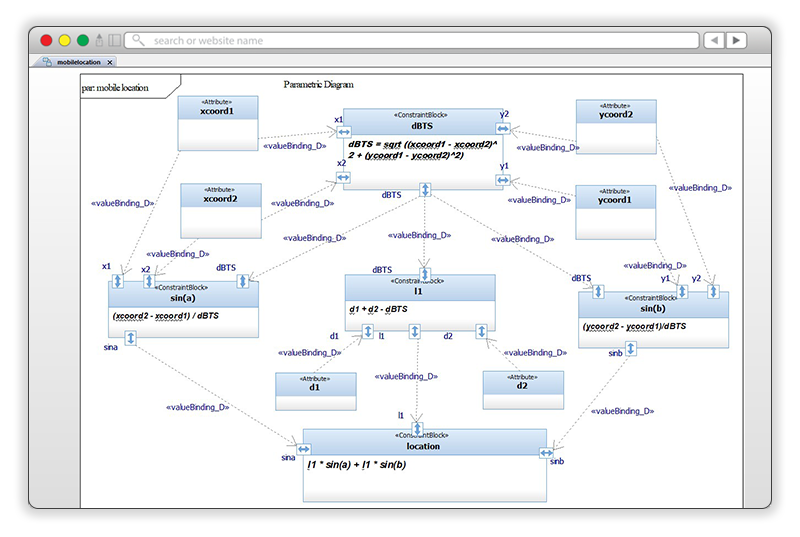
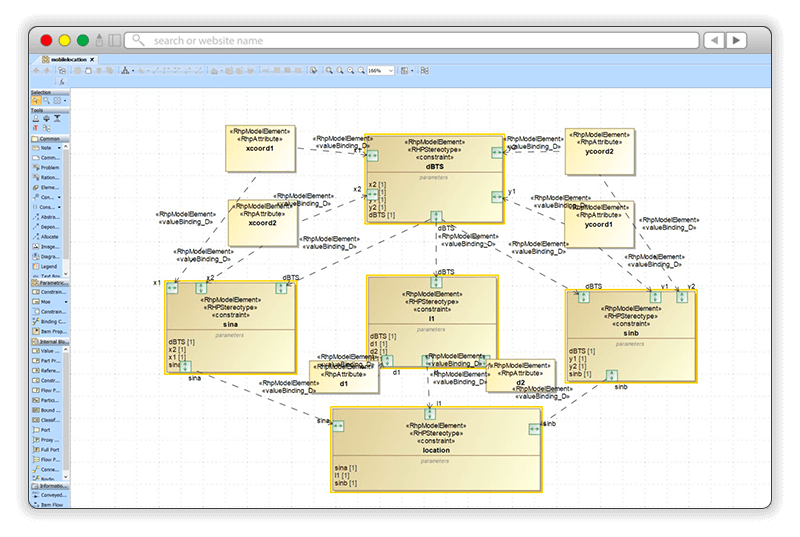
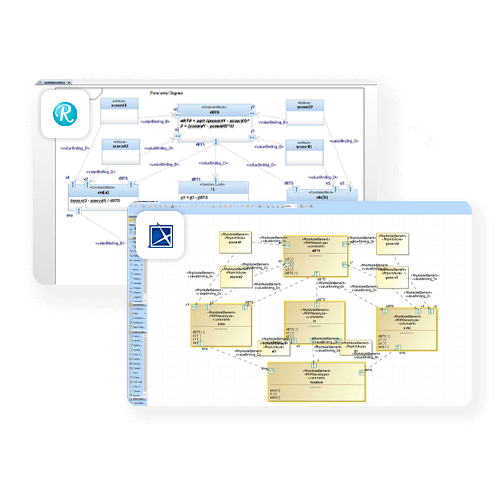
Publisher for IBM Rhapsody converts UML and SysML diagrams from Rhapsody into Cameo /  MagicDraw. It maintains content, layout, and modeler intent while adopting Cameo / MagicDraw's styling conventions. Configurable layout options for full control.

Model checking and validation reporting

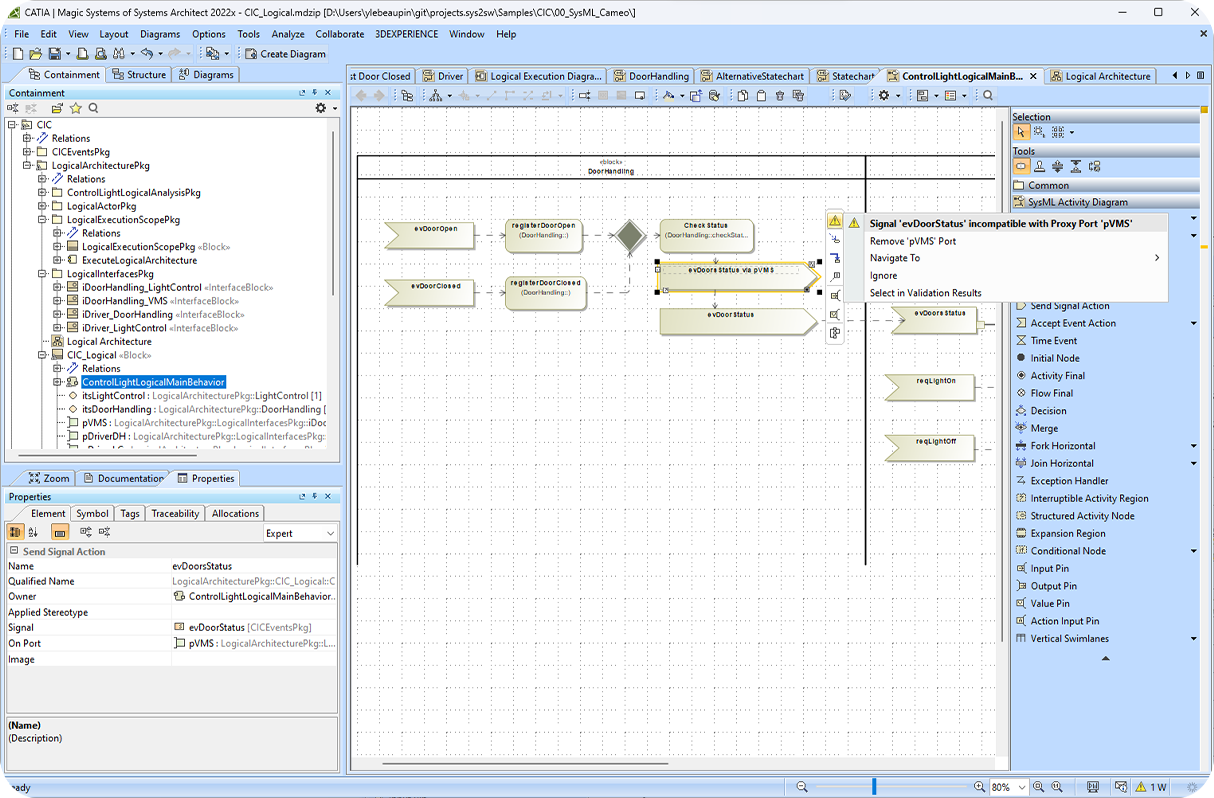
Leverage the model-checking feature to identify, log, and report inconsistencies in the source model. One simple example is if some SysML ports/pins are incorrectly typed (type mismatch), in the source model, this will be transferred to the target model. This feature allows you to save time reworking or cleaning up your target models manually and can improve model quality. 

Other capabilities for a complete model conversion

linked-data-solutions-sodiuswillert

OSLC Links to IBM DOORS Next - Export Add-On

Export OSLC traceability links between IBM Rhapsody elements and IBM DOORS Next requirements directly into your Cameo model. Links are preserved as proxy requirements and OSLC hyperlinks, allowing you to navigate from Cameo directly to the exact requirement and version in DOORS Next, maintaining full traceability through the migration.

Bidirectionality-icon-SodiusWillert-100x100px-color

Profile Management

Export SysML profiles from Rhapsody and import them into Cameo. Profile swap capability lets you substitute profiles during transformation to align with your Cameo environment.

Processing-icon_SodiusWillert_100x100px_color

Configurable Diagram Defaults

Control the display styling of published artifacts via two configuration files. Address your project's MagicDraw style rules without modifying your Rhapsody source model.

pruning-sodiuswillert (1)

Model Pruning

Select and transform only the portions of the model you need. Reduce transformation time and output size for large enterprise models.

HOW IT WORKS

From IBM Rhapsody to Cameo Systems Modeler in four steps

Publisher for IBM Rhapsody is designed to be a push-button experience. Here's the process from installation to a fully converted, ready-to-use model.

Install and configure

Install Publisher as a plugin in your Rhapsody environment. Configure your two style files to define how diagrams and artifacts should appear in the target Cameo model.

Model check and validate

Publisher runs automated model checking on your source Rhapsody model. It identifies and logs any inconsistency before conversion begins to give you a clean, validated starting point.

Publish with one click

Push the conversion from within Rhapsody. Publisher automatically exports your entire model including all elements, diagrams, hierarchies, and relationships, to a ready-to-use CAMEO .md.zip file.

Use, iterate, repeat

Open the converted model in Cameo Systems Modeler, or publish to Teamwork Cloud. For roundtrip scenarios, use UID tracking to sync changes back to Rhapsody on the next iteration.


BENEFITS

Why Teams Choose Publisher for IBM Rhapsody

Publisher for IBM Rhapsody is trusted by some of the most demanding engineering programs in the world. For programs where model integrity, delivery timelines, and engineering costs are non-negotiable, Publisher provides a proven, low-risk path from Rhapsody to Cameo.

Check mark_color_59x59px
Eliminate months of manual rework

Recreating a complex Rhapsody model by hand in Cameo can consume six to twenty-four months of engineering time. Publisher automates the entire process, freeing your engineers to focus on program delivery instead of tool migration.

Check mark_color_59x59px
Guarantee data integrity

Every element, diagram, relationship, and architecture view in the source model is accounted for in the output. Built-in model checking identifies issues before they reach your customer, giving program managers and systems architects full confidence in the converted model.

Check mark_color_59x59px
Eliminate months of manual rework

Recreating a complex Rhapsody model by hand in Cameo can consume six to twenty-four months of engineering time. Publisher automates the entire process, freeing your engineers to focus on program delivery instead of tool migration.

Check mark_color_59x59px
Reduce program costs significantly

By automating a process that previously required months of critical manpower, Publisher for IBM Rhapsody delivers a rapid return on investment. Defense contractors have used Publisher to migrate models exceeding 800,000 elements on single-program engagements.

Check mark_color_59x59px
Support iterative, multi-tool workflows

With roundtrip exchange support powered by unique identifiers (UIDs), Publisher enables iterative workflows where models evolve across both tools throughout the program lifecycle.

Check mark_color_59x59px
Deliver to customer tooling without switching tools

Many defense programs require model deliverables in Cameo Systems Modeler, even when the engineering team works in Rhapsody. Publisher lets your teams continue working in their preferred tool while meeting contractual delivery requirements in Cameo.

TRUSTED BY INDUSTRY LEADERS

The teams behind the world's most complex programs

SodiusWillert's Publisher products are used by A&D organizations globally from prime contractors to government agencies, to exchange complex systems models across program toolchains.

bae-systems-customers-sodiuswillert boeing-customers-sodiuswillert homeland-security-customers-sodiuswillert lmco-customers-sodiuswillert northrop-grumman-customers-sodiuswillert raytheon-customers-sodiuswillert us-navy-customers-sodiuswillert us-army-customers-sodiuswillert us-mda-customers-sodiuswillert us-naval-air-systems-command-customers-sodiuswillert
SUPPORT AND RESOURCES

Everything you need to get up and running

Explore all our resources to learn how to exchange systems models between IBM Rhapsody and Cameo Systems Modeler.

FREQUENTLY ASKED QUESTIONS

Common questions about Publisher for IBM Rhapsody

Everything you need to know before evaluating or purchasing Publisher for IBM Rhapsody.

What exactly does Publisher for IBM Rhapsody convert?

Publisher converts complete SysML, UML, and UPDM models from IBM Rhapsody into a fully compatible Cameo Systems Modeler (MagicDraw) file format.

This includes all structural model elements (blocks, packages, relationships, tagged values), all diagram types (activity, state, sequence, use case, block definition, internal block, parametric, and more), model hierarchy, and for UPDM models, Architecture Descriptions, Packages, and Viewpoints.

An optional add-on also preserves OSLC traceability links to IBM DOORS Next requirements.

Does Publisher support roundtrip (bidirectional) model exchange?
Yes. Publisher for IBM Rhapsody supports roundtrip model exchange between Rhapsody and Cameo Systems Modeler using unique identifiers (UIDs). This means you can run iterative conversions such as Rhapsody → Cameo → Rhapsody → Cameo throughout a program's lifecycle, making it suitable not only for one-time migrations but also for ongoing multi-tool collaborative workflows. The companion product, Publisher for IBM Rhapsody - Cameo Importer, handles the reverse direction (Cameo → Rhapsody).
What are the licensing options for Publisher for IBM Rhapsody?

Publisher for IBM Rhapsody is available as a named-user or floating license. License options are tailored to your use case whether you need a short-term license for a single migration project or a longer-term subscription for ongoing, iterative workflows. Contact the SodiusWillert team for a pricing quote based on your specific program requirements and number of users.

Can I evaluate Publisher before purchasing?

Yes. SodiusWillert offers a free 14-day trial license for Publisher for IBM Rhapsody. The trial gives you full access to all product capabilities so you can validate the tool against your own models before committing to a purchase. Contact our team at sodiuswillert.com/en/contact to request your trial license or discuss an assisted proof-of-concept evaluation for large or complex migration projects.

What system requirements are needed to run Publisher?

Publisher for IBM Rhapsody runs as a plugin within IBM Rhapsody (IBM Engineering Systems Design Rhapsody). It requires a compatible version of Rhapsody and a licensed installation of Cameo Systems Modeler (MagicDraw) as the target environment. For full details on supported versions and installation prerequisites, visit the Publisher for Rhapsody documentation on the SodiusWillert Help Center.

Ready to automate model conversion from IBM Rhapsody to Cameo?

Request a free 14-day trial or talk to one of our experts to see how Publisher for IBM Rhapsody fits your program's needs.

Fichier 1 1 1
RELATED SOLUTIONS

Related Solutions for Cameo Systems Modeler

SodiusWillert provides a complete ecosystem of tools and training to support your Cameo Systems Modeler programs. From model migration and requirements traceability to team collaboration and skills development, we have the solution you need.