













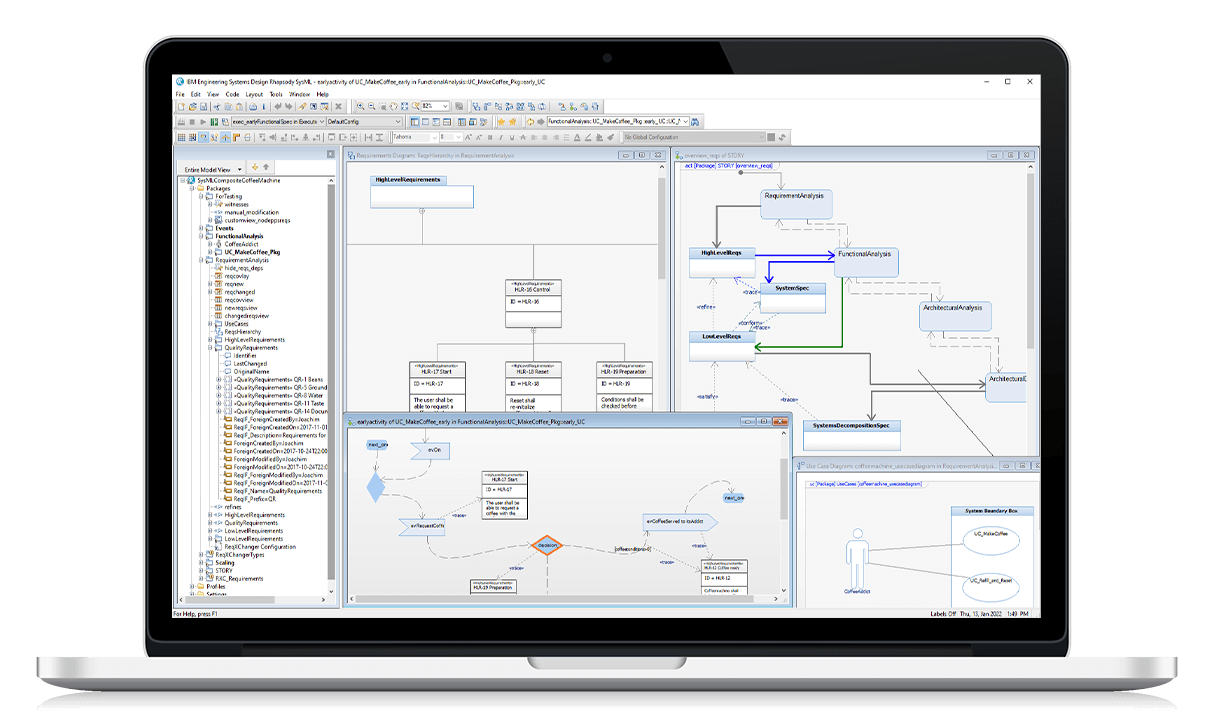
AI Modeling Assistant for IBM Rhapsody

Transform how you work in IBM Rhapsody with an AI assistant that simplifies model creation, accelerates analysis, and makes legacy systems easier to understand. AI Modeling Assistant for IBM Rhapsody is your collaborative partner for model-based systems engineering.

AI-Modeling-Assistant-for-IBM-Rhapsody-SodiusWillert-product-logo-200x60px
ibm-sytems-design-rhapsody-sodiuswillert
PRODUCT OVERVIEW

What is AI Modeling Assistant for IBM Rhapsody?

AI Modeling Assistant for IBM Rhapsody is our new AI extension for IBM Rhapsody, designed to work alongside systems engineering teams. It is a bridge between IBM Rhapsody and any AI client, packed with 30 years of model-based engineering expertise.

The SodiusWillert AI Modeling Assistant for IBM Rhapsody (SAM) is a Model Context Protocol (MCP) broker that turns IBM Rhapsody into an AI-ready modeling environment. Engineers drive modeling tasks using natural-language prompts and reusable Tool Chains,  while the AI handles the heavy lifting inside Rhapsody.

Icons - add value
Native to IBM Rhapsody

SodiusWillert AI Modeling Assistant for IBM Rhapsody reads and writes IBM Rhapsody model elements directly. Statecharts, activity diagrams, sequence diagrams, AUTOSAR profiles, requirements, and code generation settings, all accessible through the same natural-language interface.

Icon_full-size-SAM_SodiusWillert_2026_70x70px
AI-Agnostic

Connect Claude, GPT-4o, or any MCP-compatible LLM. Your team keeps its preferred toolchain; SAM provides the Rhapsody intelligence layer on top.

KEY CAPABILITIES

What SodiusWillert AI Modeling Assistant for IBM Rhapsody lets you do

AI Modeling Assistant for IBM Rhapsody brings intelligent assistance into your engineering workflow. It is not just another automation feature, it is your AI-powered partner that reduces manual effort, ensures consistency, and speeds up delivery.


Review and correct models

AI Modeling Assistant for IBM Rhapsody inspects SysML models, detects inconsistencies, and proposes corrections. Engineers no longer need to manually comb through diagrams to ensure consistency.

Watch how it works:


Generate models from requirements

Describe the system in natural language, and AI Modeling Assistant for IBM Rhapsody will build the initial model structure. Classes, relationships, and interfaces are created automatically, giving engineers a head start.

Watch how it works:


Contextual modeling

Analyze existing models as reference points for new design projects. By providing contextual understanding, it enhances model reuse and supports informed decision-making in complex engineering environments.

Watch how it works:


Understand domain-specific profiles

AI Modeling Assistant for IBM Rhapsody applies industry or custom modeling profiles, respecting stereotypes, semantics, and constraints so that the generated models align with the engineering context.

Watch how it works:


Create a model from almost nothing

Even when starting from a blank page, AI Modeling Assistant for IBM Rhapsody can take a minimal prompt and generate a full SysML model, complete with structure and relationships.

Watch how it works:


HOW IT WORKS

From prompt to model in three steps.

A lightweight integration that brings AI intelligence into your existing Rhapsody workflow.

Install the Agent Plugin

Deploy the SAM Agent as a Rhapsody plugin on each workstation. The Agent connects to the SAM Broker over a secure REST/JSON interface, authenticated via OAuth tokens. Multiple Rhapsody instances can connect to a single Broker simultaneously.

Connect Your AI Client

Point any MCP-compatible AI client such as Claude Desktop, a web-based chat interface, or a custom AI environment, to the SAM Broker endpoint (SSE/STDIO). SAM exposes all registered Rhapsody operations as typed MCP tools the AI can discover and call.

Prompt, Review & Commit

Engineers issue natural-language instructions or invoke named Tool Chains. SAM routes the AI's tool calls to the correct Rhapsody instance, executes operations natively on the model, and returns structured results. Engineers review and commit changes as usual.

BENEFITS

Why engineering teams choose AI Modeling Assistant for IBM Rhapsody

From faster modeling to safer AI operations,  the business case for AI Modeling Assistant for IBM Rhapsody environments.

Check mark_color_59x59px
Accelerated Modeling at Scale

Engineers build and refine models at the speed of intent. Tasks that previously required hours of manual diagram authoring (e.g. building statecharts from requirements, closing coverage gaps, documenting models, etc) are completed in minutes through AI-assisted prompts.

Check mark_color_59x59px
Deterministic Outcomes with Tool Chains

Tool Chains wrap complex, multi-step Rhapsody workflows into single repeatable operations. Teams codify project-specific standards once; every engineer executes them consistently, eliminating variability across contributors and reducing AI token consumption significantly.

Check mark_color_59x59px
Enterprise-Grade Security & Access Control

Role-based access lets administrators define precisely which Rhapsody operations each engineer can perform via the AI. This prevents accidental or unauthorized model changes and maintains project governance in multi-user environments which is critical for aerospace, defense, and automotive programs.

Check mark_color_59x59px
AI-Client and Deployment Flexibility

SodiusWillert AI Modeling Assistant for IBM Rhapsody is AI-model agnostic: you can connect it to Claude, GPT-4, or any MCP-compliant assistant without changing your Rhapsody setup. 

Check mark_color_59x59px
Lower Barrier to IBM Rhapsody Expertise

SAM embeds Rhapsody best practices into Skills and guides, allowing junior engineers to produce correctly structured models from day one. Teams onboard faster, knowledge is democratized across the project, and senior experts spend more time on architecture rather than mentoring basics.

RESOURCES

Learn More About SodiusWillert AI Modeling Assistant for IBM Rhapsody

Explore all our resources to help you evaluate and deploy SodiusWillert AI Modeling Assistant for IBM Rhapsody.

FAQ

Common questions asked about AI Modeling Assistant for IBM Rhapsody

Common questions from engineers and managers evaluating SodiusWillert AI Modeling Assistant for their IBM Rhapsody environment.

What exactly is SodiusWillert AI Modeling Assistant and how is it different from using an AI assistant directly with IBM Rhapsody?

SodiusWillert AI Modeling Assistant is a Model Context Protocol (MCP) broker that sits between any MCP-compatible AI client and IBM Rhapsody. Unlike using a generic AI to generate code or text about Rhapsody, SAM gives the AI direct, native tool access to your live Rhapsody model, reading and writing model elements in real time, without any export or re-import step. It also adds Rhapsody-specific Skills and Tool Chains that steer the AI toward best practices, producing consistent, project-specific outcomes rather than generic suggestions.

Which AI clients are compatible with SodiusWillert AI Modeling Assistant?

SodiusWillert AI Modeling Assistant supports any AI client that speaks the Model Context Protocol (MCP). This includes Claude (Anthropic) via web browser or Claude Desktop, and any other LLM-based assistant that implements MCP, including custom enterprise AI environments. The AI backend (the language model itself) does not need to be a specific product; SAM is AI-model agnostic by design. On-premise AI deployments are also supported.

What IBM Rhapsody modeling artifacts and diagram types does SodiusWillert AI Modeling Assistant support?
SodiusWillert AI Modeling Assistant for IBM Rhapsody provides MCP tools and skill-driven guidance across the most common IBM Rhapsody modeling artifacts, including:
  • Statecharts (states, transitions, composite states, fork/join),
  • Activity Diagrams (actions, decisions, call operations, behaviors),
  • Sequence Diagrams (messages, lifelines, collaboration workflows),
  • Requirements & Use Cases,
  • Tables & Matrices (including dependency matrices),
  • Profiles & Properties (profile builder, stereotypes, property hierarchies),
  • Panel & Web Panes (live animation widgets),
  • and Context Patterns for table/search/browser queries.
Can SodiusWillert AI Modeling Assistant be deployed on-premise? Is cloud connectivity required?

Yes. SodiusWillert AI Modeling Assistant supports both cloud-connected and fully on-premise deployment. The Broker can be hosted inside your network, and the AI backend can also be an on-premise LLM.

This makes SodiusWillert AI Modeling Assistant suitable for highly regulated environments where data sovereignty, air-gapped networks, or export control restrictions apply.

What are the licensing options and is an evaluation license available?

Licensing is per-seat or per-project, depending on your team's deployment model. Evaluation licenses are available, please contact our team to request a trial and arrange a guided evaluation session. Our engineers will help you set up SAM in your environment and demonstrate its capabilities with your actual models.

Ready to leverage AI directly within IBM Rhapsody?

Please contact us with any questions, and we will jointly explore how our experts can support you most effectively - from trainings, workshops, special adaptations, consulting on processes and methods, to coaching.

Fichier 1 1 1
RELATED SOLUTIONS

The SodiusWillert IBM Rhapsody ecosystem

Whether you're migrating models, extending Rhapsody's capabilities, or training your team, SodiusWillert provides the complete solution stack for IBM Rhapsody environments in regulated industries.