Connect ReqIF Requirements
to Your Modeling Environment with ReqXChanger

ReqXChanger creates bi-directional traceability between ReqIF-compatible requirements management tools and UML/SysML modeling environments, keeping your teams aligned from specification to design.

reqchanger-sodiuswillert
PRODUCT OVERVIEW

What is ReqXChanger?

ReqXChanger is a requirements-to-model integration tool that reads and synchronizes ReqIF-formatted requirements data with UML/SysML modeling environments. It gives systems engineers and architects a live, traceable link between what the system must do and how it is designed, within the tools they already use.
Validation-icon-SodiusWillert-100x100px-color

ReqIF-Native by Design

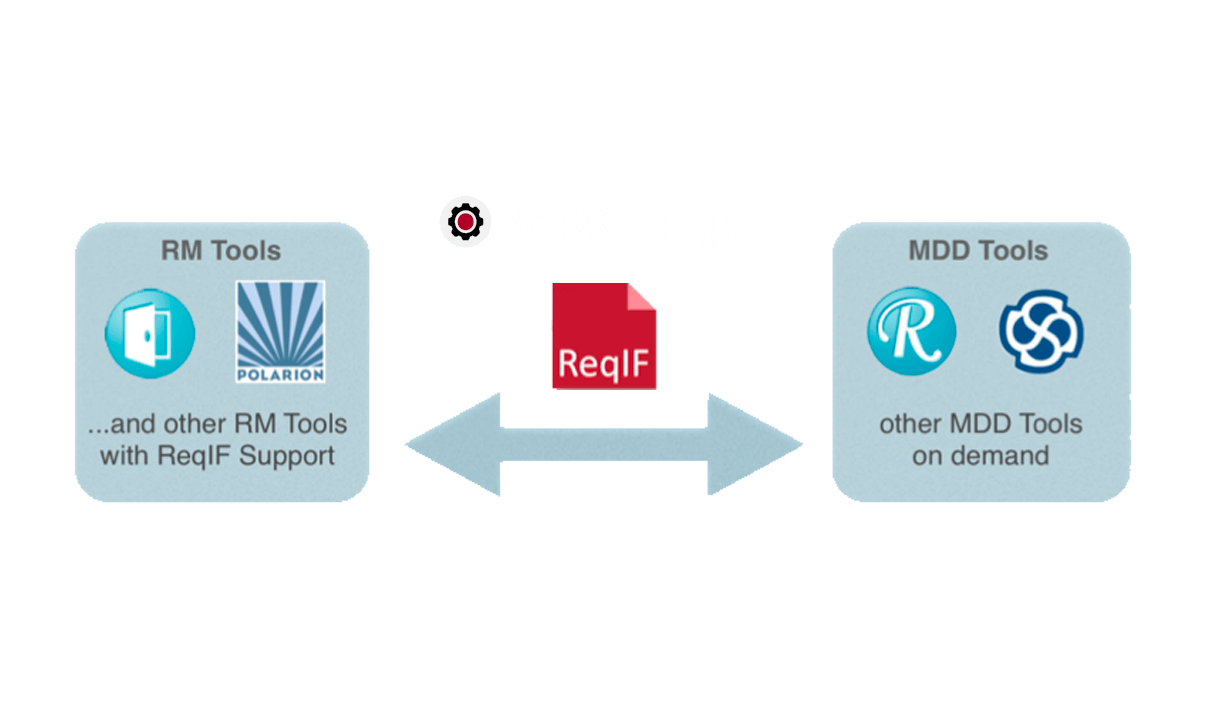
ReqXChanger is built around the OMG ReqIF open standard, making it compatible with any requirements management tool that can export ReqIF, including IBM DOORS, SIEMENS Polarion, and others. No vendor lock-in. No proprietary formats.

Modeling-icon-SodiusWillert-100x100px-color

Bi-Directional Traceability

Requirements flow into your modeling tool; model elements and diagrams flow back into your requirements tool. Both directions stay synchronized, giving every stakeholder a complete, up-to-date view of coverage and compliance.

Impact-analysis-icon_SodiusWillert_100x100px_color

Change-Aware Synchronization

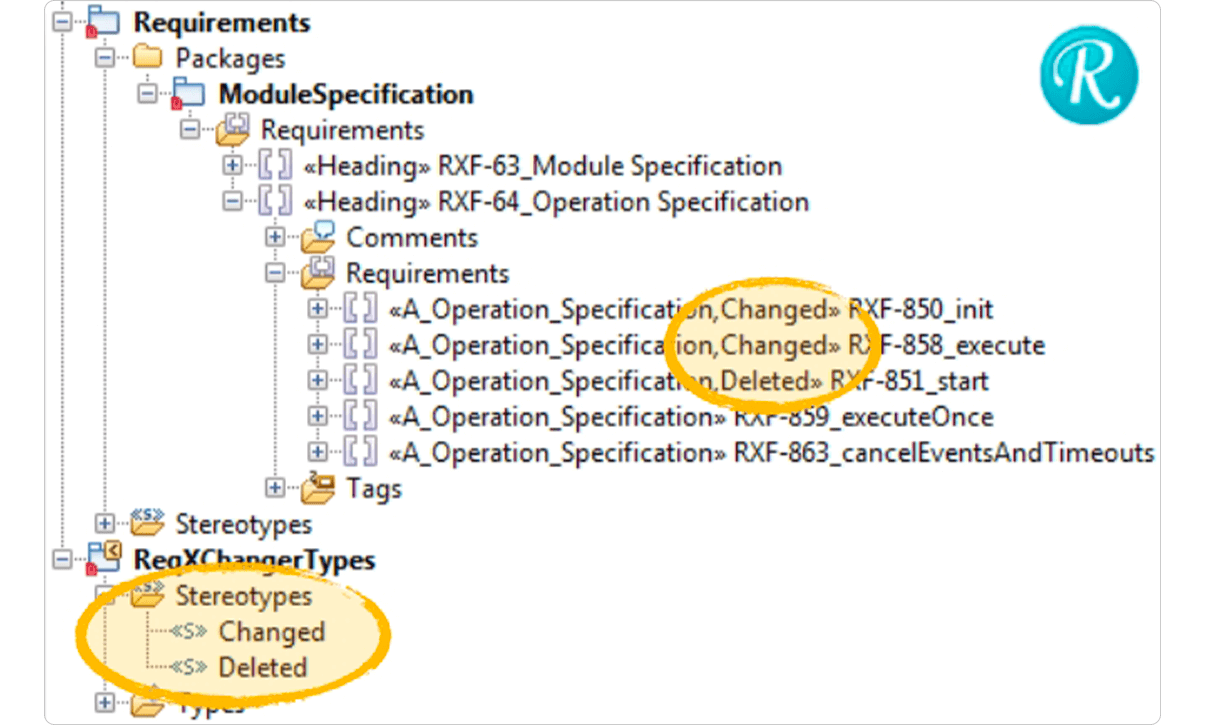
When a linked requirement changes, ReqXChanger automatically flags the associated model elements with a Suspect Link indicator so engineers can quickly identify what needs to be reviewed and updated before it becomes a compliance gap.

KEY CAPABILITIES

Built for Organizations That Take ReqIF Seriously

ReqXChanger delivers the capabilities that matter most to engineering teams working across requirements management and system modeling in regulated industries.

ReqIF Import and Requirements Transformation

Export your requirements in ReqIF format from any supported compatible requirements management tool, then import them directly into IBM Rhapsody or Sparx Enterprise Architect.

ReqXChanger converts ReqIF SpecObjects into UML-compatible requirement elements that can be visualized in diagrams and traced to model artifacts such as use cases, classes, state machines, operations, and more.

Suspect Link Detection and Change Management

During every synchronization cycle, ReqXChanger compares the current version of each requirement against what was previously imported. When a linked requirement has changed, all associated model elements are automatically tagged with a Suspect Link flag.

Teams can then filter for flagged elements, review the delta, and decide whether model updates are needed before review cycles or regulatory audits surface the gap.

Automated and Scriptable Synchronization

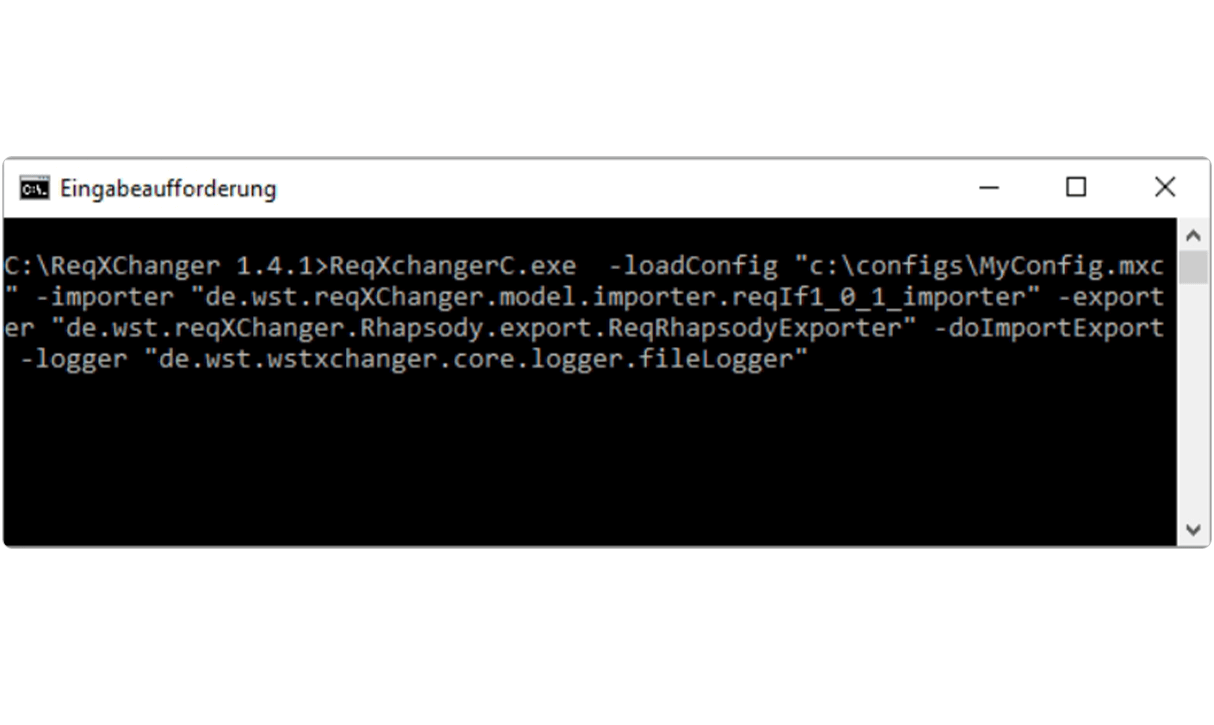
ReqXChanger exposes a command-line interface that allows export, import, and synchronization operations to be scripted and scheduled. Routine processes run in the background without interrupting engineers.

For organizations managing multiple Rhapsody projects against multiple DOORS modules, separate ReqXChanger configurations can be loaded per project, each mapping the correct ReqIF file to the corresponding modeling package.

HOW IT WORKS

From ReqIF to Model in Three Steps

ReqXChanger operates as the integration layer between your requirements management environment and your modeling tool. The tool helps standardize the handoff and keeping both sides in sync.

Export requirements as ReqIF

In your requirements management tool such as IBM DOORS, or SIEMENS Polarion. Create a ReqIF definition that specifies which modules, attributes, and views to include. Export the resulting ReqIF file. You can export the current version of a Formal Module or any baseline. Use DOORS views to filter attribute columns and control exactly what appears in the ReqIF file.

Synchronize into your modeling tool

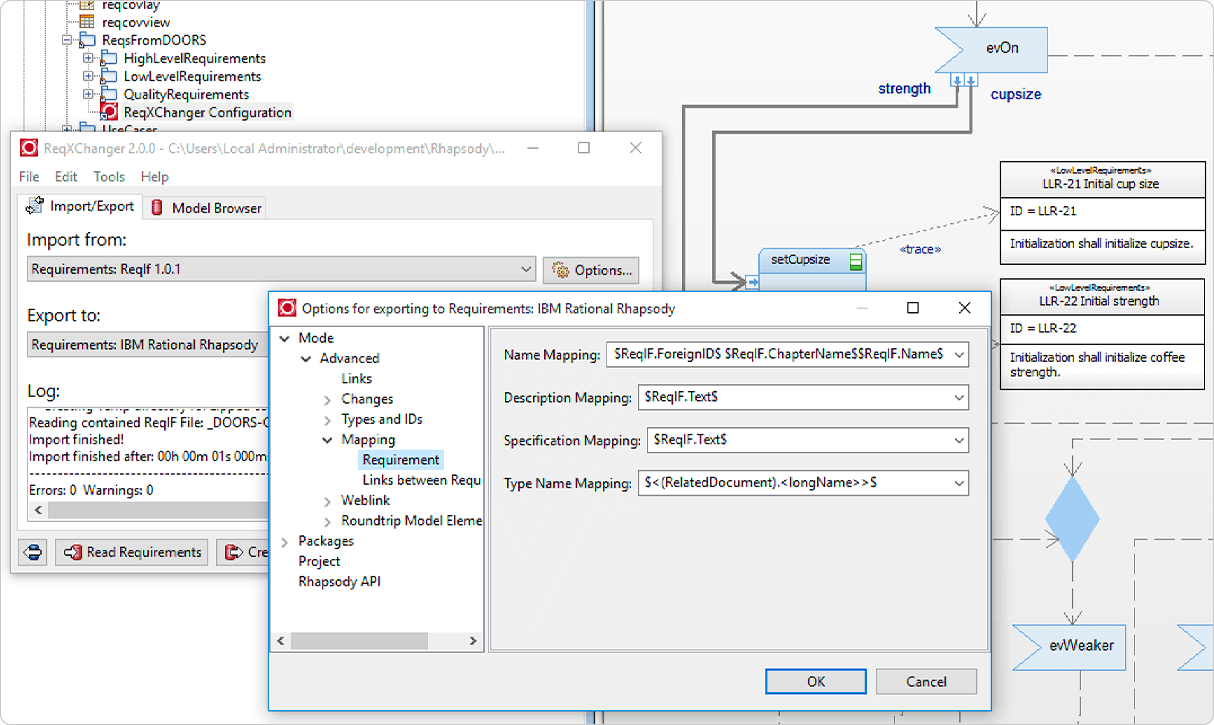
Open ReqXChanger and configure a mapping between the ReqIF Specifications and the corresponding packages in your UML/SysML model. Run Update Requirements to synchronize: ReqXChanger reads the ReqIF file, creates or updates requirement elements in Rhapsody or Enterprise Architect, and establishes hyperlinks back to the originating DOORS objects. From your modeling tool, trace relationships between requirements and model elements.

Export traceability back to requirements

After linking requirements to model elements in your UML tool, use ReqXChanger to export those trace relationships and model representations back into your requirements management tool. Requirements engineers can then see which model elements implement each requirement, check coverage levels, assess impact of proposed changes, and demonstrate traceability for certification or review purposes all from within their preferred environment.

BENEFITS

Why Engineering Teams Choose ReqXChanger

For organizations developing safety-critical or regulated products, the cost of misalignment between requirements and models is high. ReqXChanger reduces that risk, as well as the overhead of managing it manually.
Check mark_color_59x59px
Eliminate Misunderstandings

See the up-to-date description of the requirements when working with the modeling tool and develop your solution based on the agreed expectations, not an outdated copy pasted weeks ago. When requirements change, Suspect Link flags ensure no model element is silently out of date.

Check mark_color_59x59px
End-to-End Traceability for Compliance

Demonstrate full coverage from customer requirement to design artifact. ReqXChanger generates the bi-directional links that certification reviewers and auditors require, reducing the manual effort of compiling traceability matrices.

Check mark_color_59x59px
Open Standard, Broad Compatibility

The OMG ReqIF standard is widely supported across requirements management platforms. ReqXChanger works with any tool that can export ReqIF today and as your toolchain evolves.

Check mark_color_59x59px
Reduce Manual Integration Overhead

Replace manual copy-paste workflows with scriptable, automated synchronization. Routine import/export processes run in the background without interrupting engineering work or requiring specialist intervention.

Check mark_color_59x59px
Impact Analysis on Every Change

Bi-directional links mean that when a requirement is updated, engineers know immediately which model elements are affected. When a model element changes, requirements engineers can assess the impact upstream. This cuts review cycle time and prevents late-stage surprises.

SUPPORT AND RESOURCES

Everything you need to get up and running

Explore all our resources to learn how to use ReqXChanger.

FAQ

Frequently Asked Questions about ReqXChanger

Common questions from engineering teams and tool administrators evaluating ReqXChanger.

What is ReqIF, and why does it matter for requirements-to-model integration?
ReqIF (Requirements Interchange Format) is an open standard defined by the OMG for exchanging requirements data between tools from different vendors. Because ReqIF is vendor-neutral, it allows organizations to connect their requirements management tool such as IBM DOORS, Polarion, and others, to their modeling environment without relying on proprietary connectors. ReqXChanger is built around the ReqIF standard, which means it works wherever ReqIF is supported and remains compatible as your toolchain evolves.
Which tools is ReqXChanger compatible with?

ReqXChanger has been validated with IBM DOORS 9.7.2.10, IBM Rhapsody 10.0.3, Sparx Systems Enterprise Architect 17.1, and Polarion 2512. On the requirements management side, any tool that can export the ReqIF standard format is compatible.

Note that ReqXChanger does not work with Polarion X, and DOORS versions 9.7.2.4 through 9.7.2.6 have a known ReqIF export issue that affects compatibility. ReqXChanger runs on Windows 64-bit operating systems only.

How is ReqXChanger licensed, and what license types are available?

ReqXChanger is available under a FlexNet Floating License model, which allows organizations to share a pool of licenses across multiple users or machines.

To obtain specific pricing or discuss license quantities, please contact us via our contact form here. Additional license configurations may be available depending on organizational requirements.

Can I evaluate ReqXChanger before purchasing?

Yes. SodiusWillert offers a free trial of ReqXChanger. You can request a trial directly from this page or by contacting the sales team. The trial gives your team hands-on access to the full product so you can validate compatibility with your existing toolchain and requirements workflows before committing to a license.

Where can I get support?

For technical support, bug reports, or feature requests, contact the SodiusWillert support team at support@sodiuswillert.com. Full documentation including installation guides, user guides, and system requirements is available at help.sodius.cloud.

Ready to connect your requirements to your models?

Start a free trial or talk to our team about your toolchain and use case.

Fichier 1 1 1

Other products you might be interested in

Our goal is to help you deliver products to market faster by integrating your engineering tools, boosting engineers' productivity, and fostering team collaboration.