












Convert Cameo Systems Modeler models into IBM Rhapsody, automatically

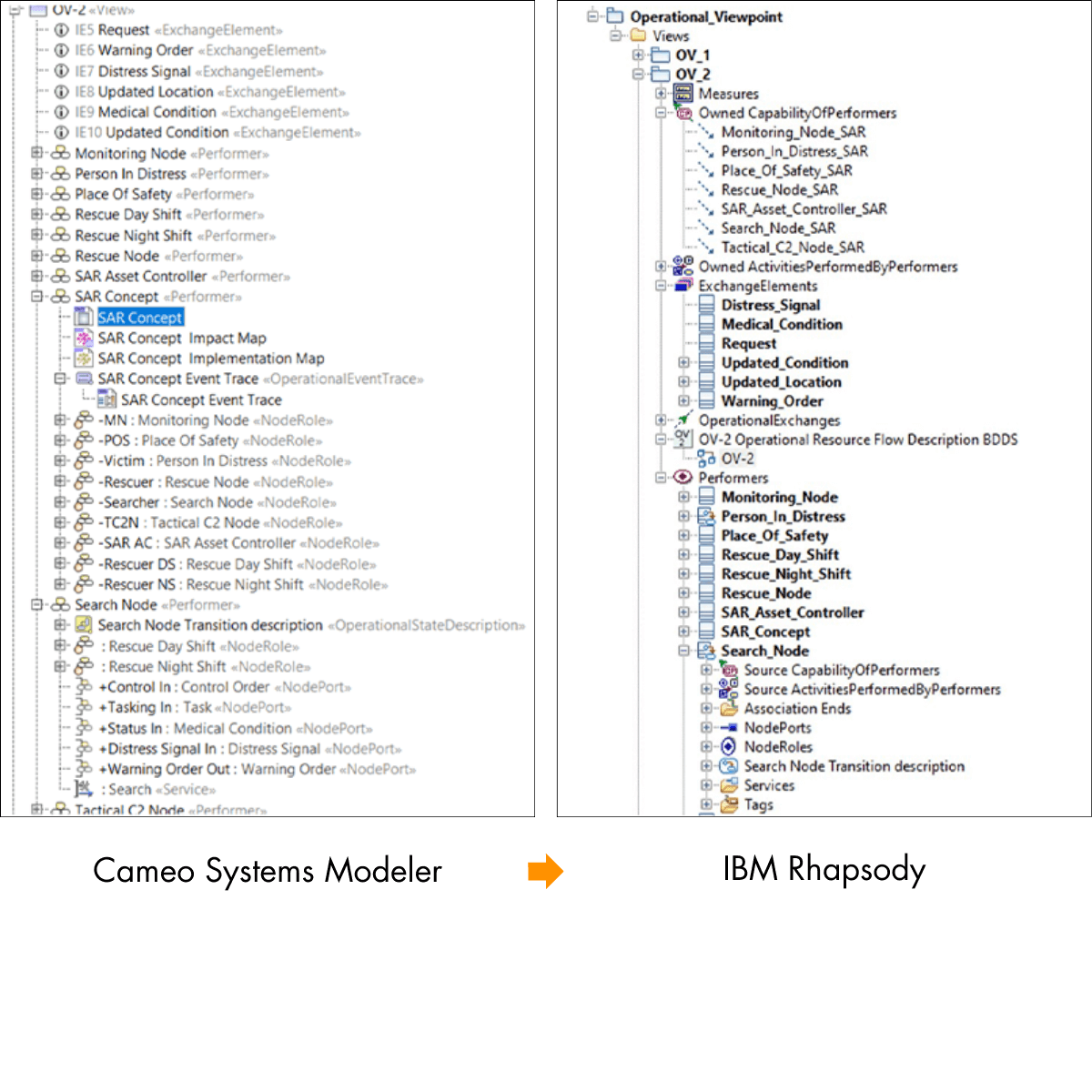
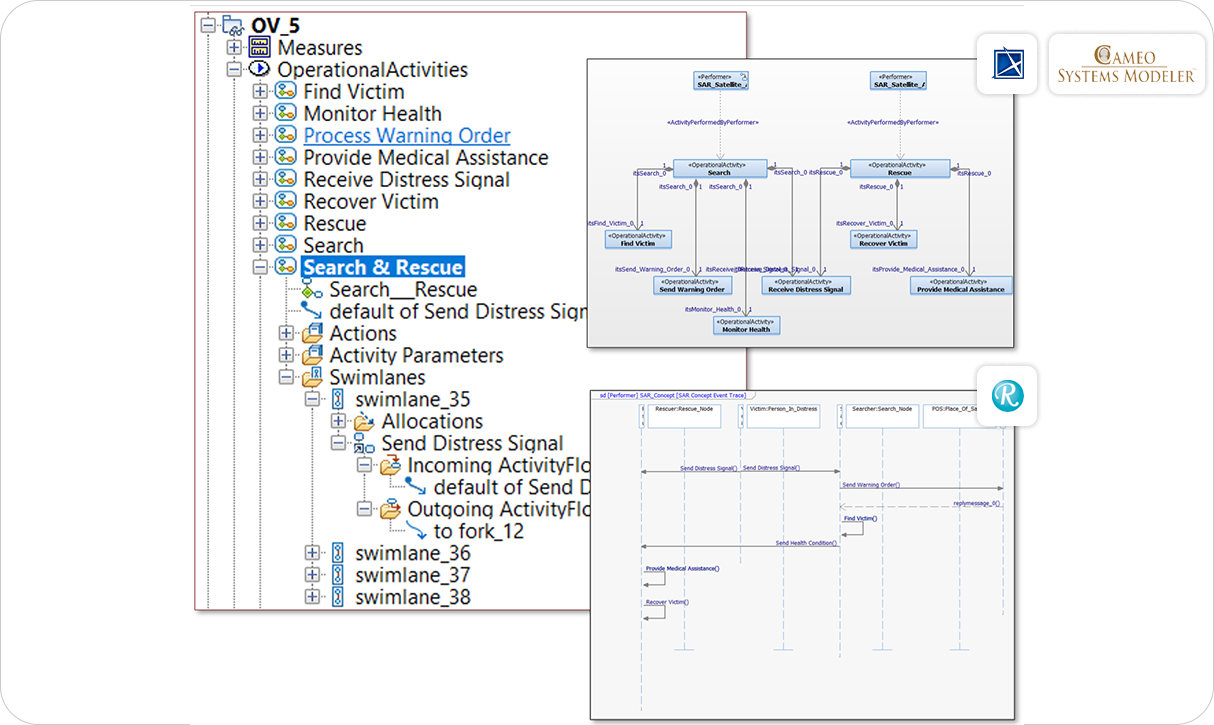
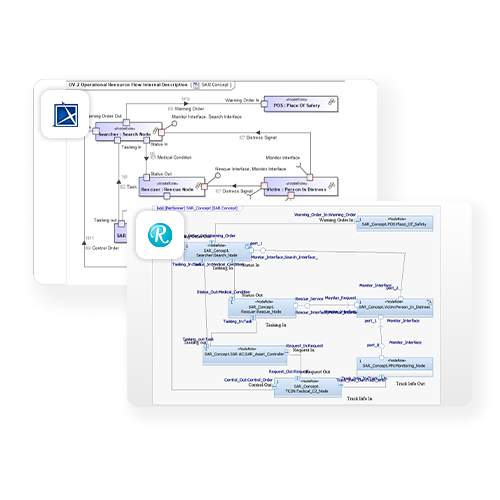
Publisher for IBM Rhapsody – Cameo Importer eliminates months of manual model re-work by automatically converting your SysML, UML, and UPDM models from Cameo or MagicDraw into fully compatible IBM Rhapsody files.

Cameo to Rhapsody-white-arrow-1
PRODUCT OVERVIEW

What is Publisher for IBM Rhapsody - Cameo Importer?

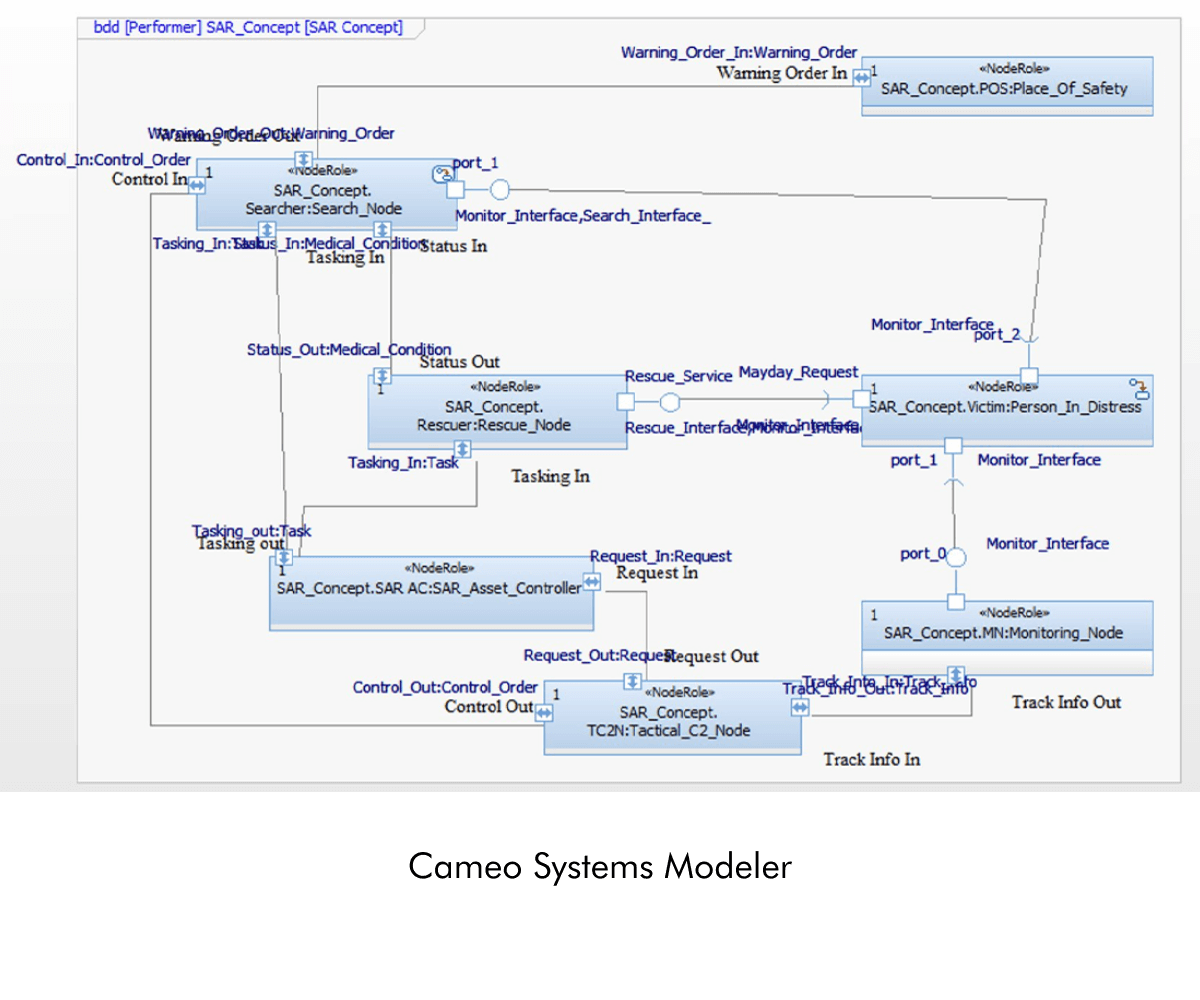
Publisher for IBM Rhapsody – Cameo Importer is a plugin that converts SysML, UML, and UPDM models from No Magic Cameo Systems Modeler (MagicDraw) directly into IBM Rhapsody file format while preserving all model elements, diagrams, structure, and hierarchy. Trusted by Aerospace & Defense programs at organizations including Boeing, BAE Systems, Lockheed Martin, Northrop Grumman, and the US Navy, it eliminates the manual effort of model re-creation and ensures full data integrity across toolchains.

Impact-analysis-icon_SodiusWillert_100x100px_color

Automated model conversion

Converts entire Cameo or MagicDraw projects including all UML, SysML, and UPDM model elements, diagram layouts, and user-defined profiles, into Rhapsody in one publishing action. No manual re-creation. No copy-paste errors.

Bidirectionality-icon-SodiusWillert-100x100px-color

Roundtrip interoperability

Supports iterative, bidirectional workflows between IBM Rhapsody and Cameo Systems Modeler using unique identifiers (UIDs). Teams can work in their preferred tool and exchange models as many times as needed across the program lifecycle.

Safety-icon_SodiusWillert_100x100px_color

Configurable, auditable output

User-configurable settings and display styling let teams consistently enforce their modeling standards. Detailed transformation logs and model check-up reports give program managers full visibility into what was converted and any issues identified.

KEY CAPABILITIES

Built for high-fidelity model conversion at program scale

Three capabilities make Publisher for IBM Rhapsody – Cameo Importer the choice for A&D teams managing mission-critical model data across heterogeneous toolchains.

Model elements

Elements are converted by managing some Rhapsody-specific constraints such as naming constraints inherited from the “code generation” flavor of Rhapsody: forbidden white spaces or special characters, etc.

Structure diagrams

Convert any type of structural items including elements, relationships, and tagged values.​

Behavior diagrams

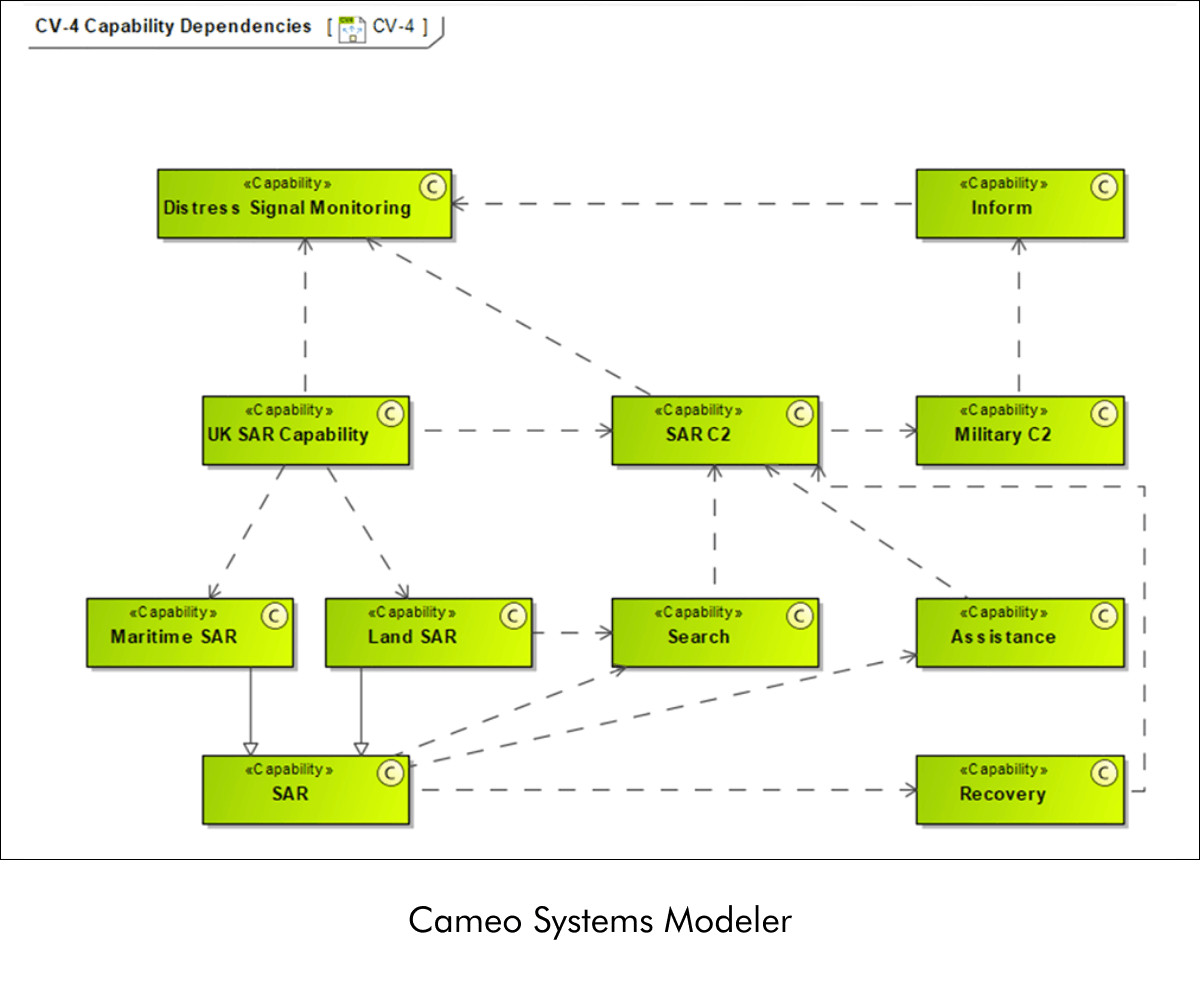
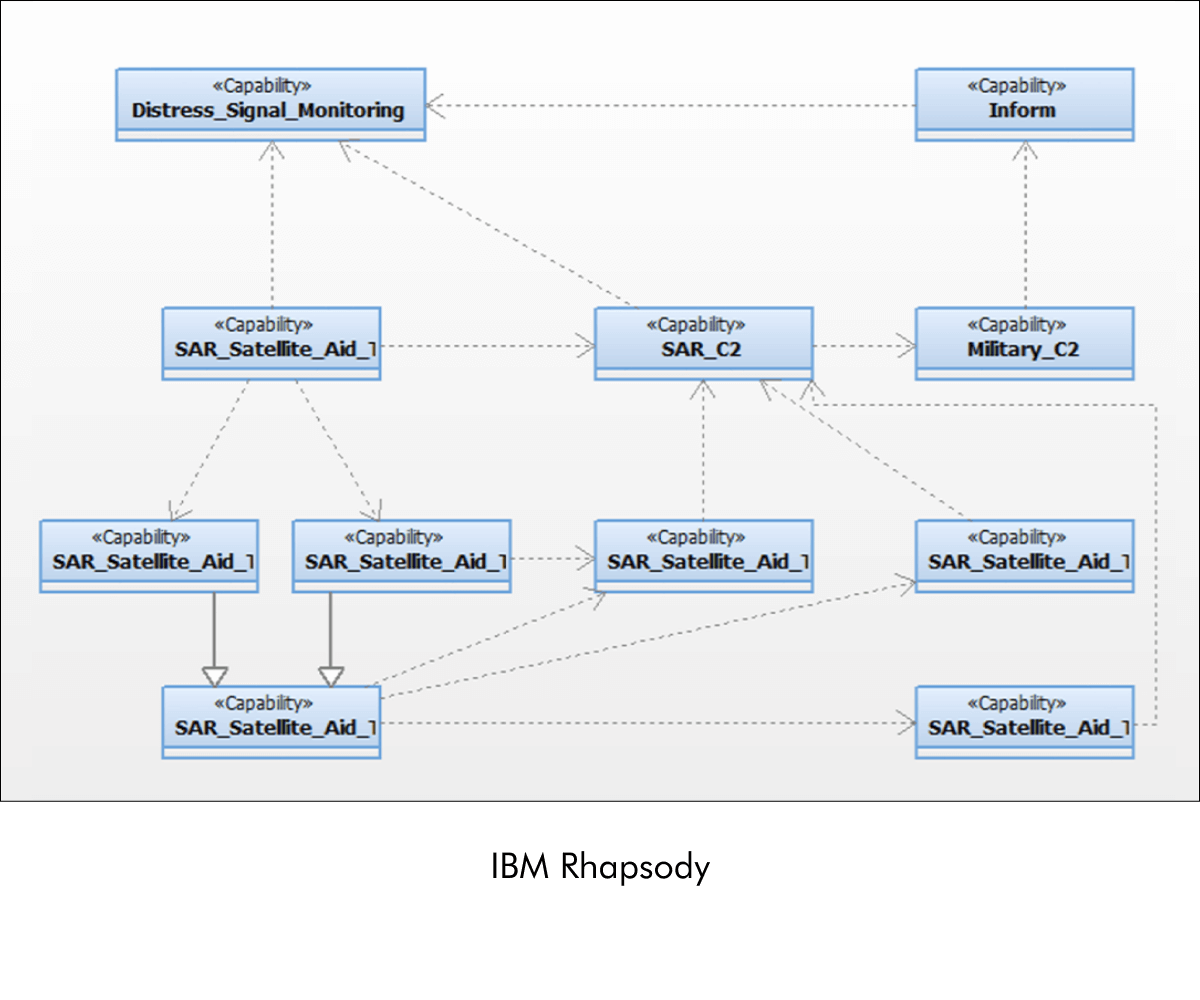
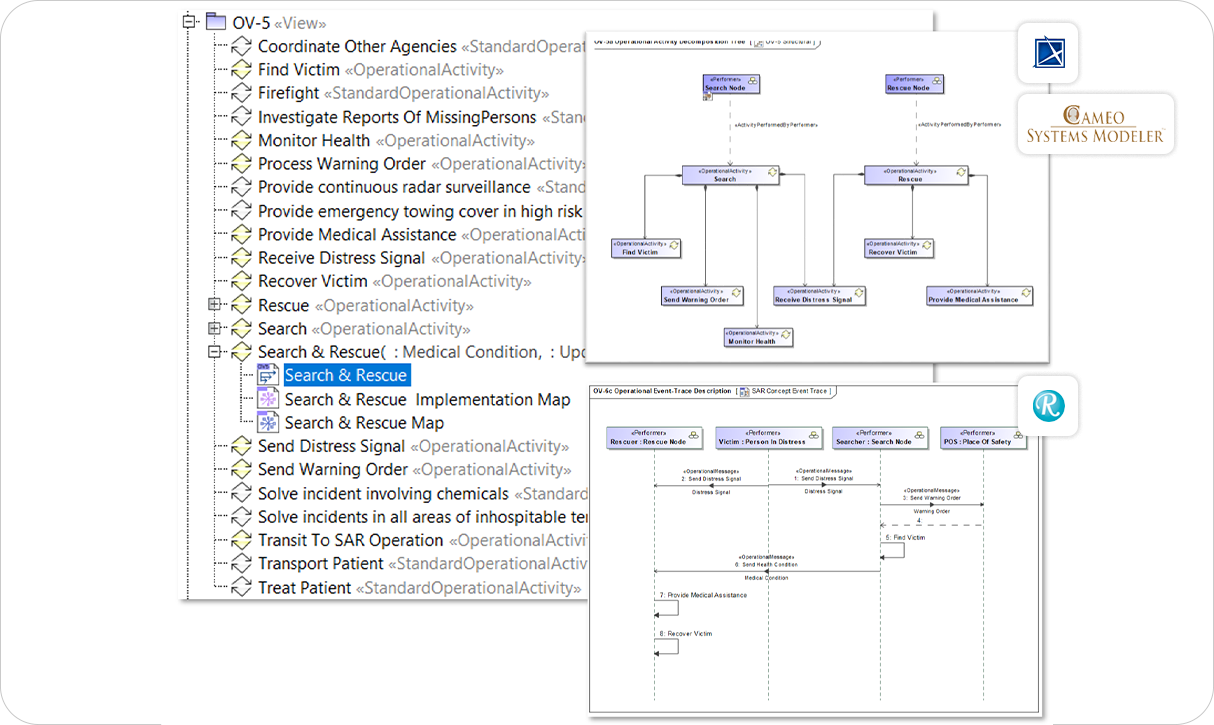
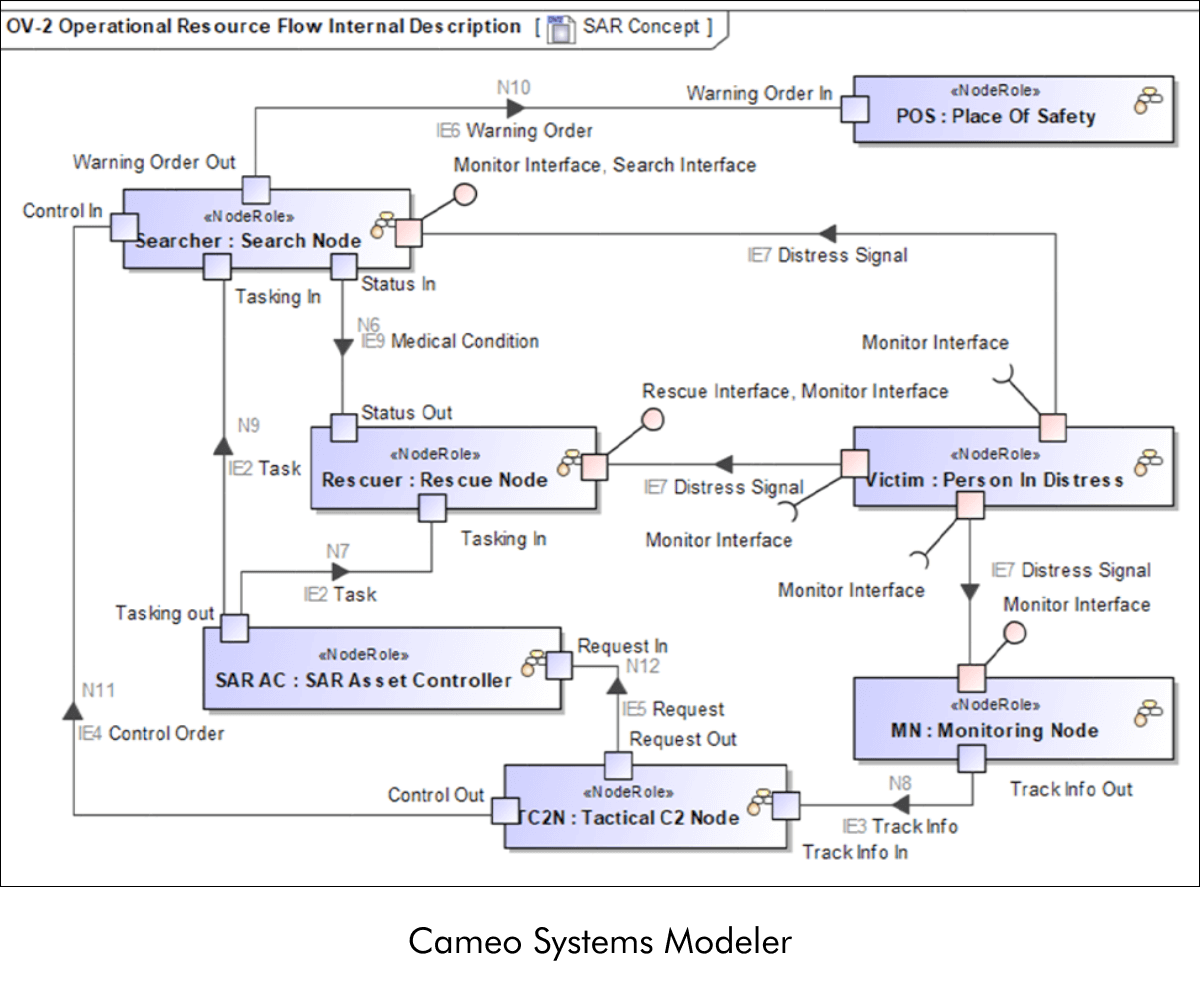
Convert UML, SysML, or UPDM diagrams such as Use Case, Activity, State,​ or Sequence​ from Cameo or MagicDraw into Rhapsody. Your Rhapsody diagrams remain faithful to the content, layout, and modeler intent while adopting modeling style conventions of Rhapsody.

Content diagrams

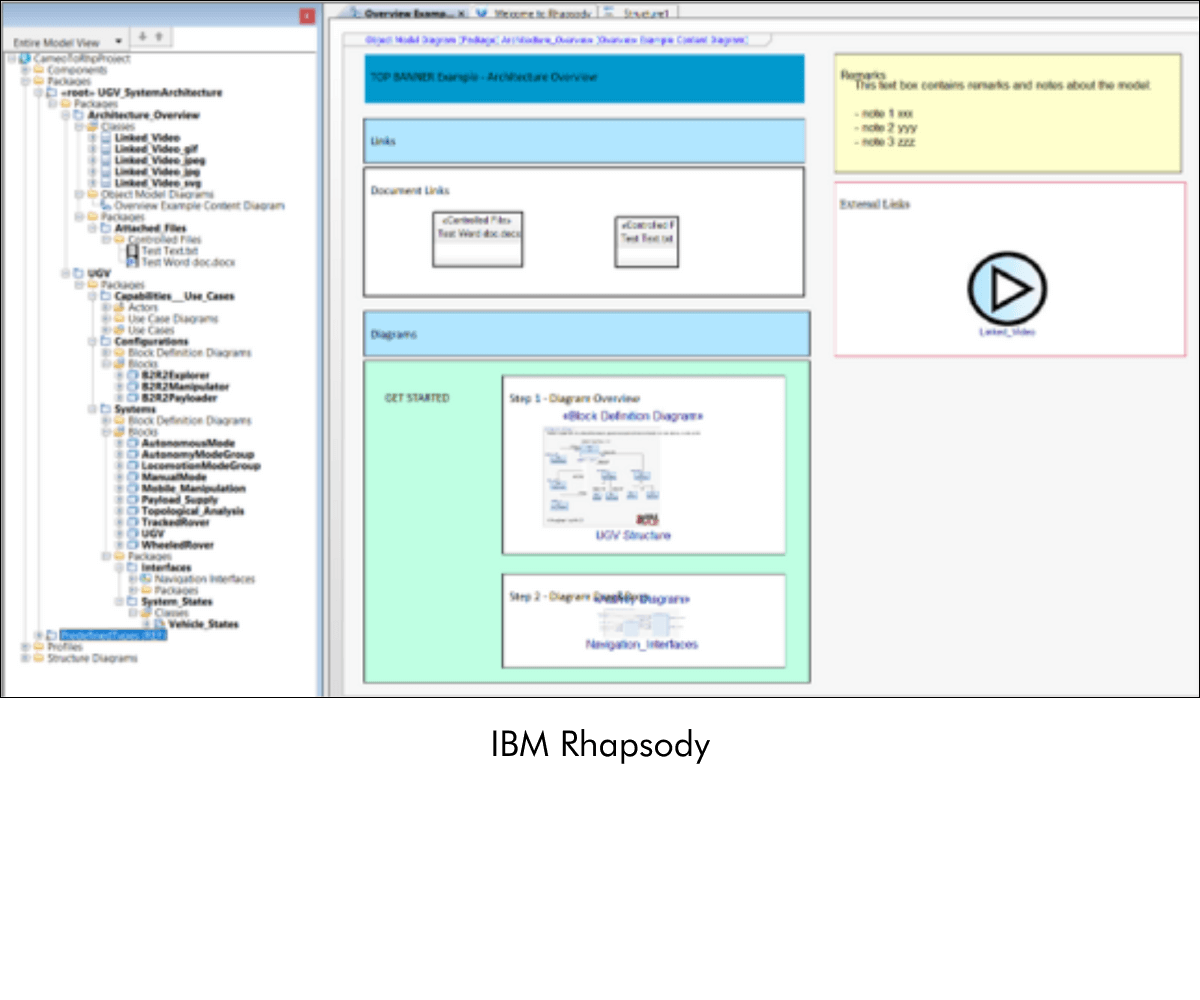
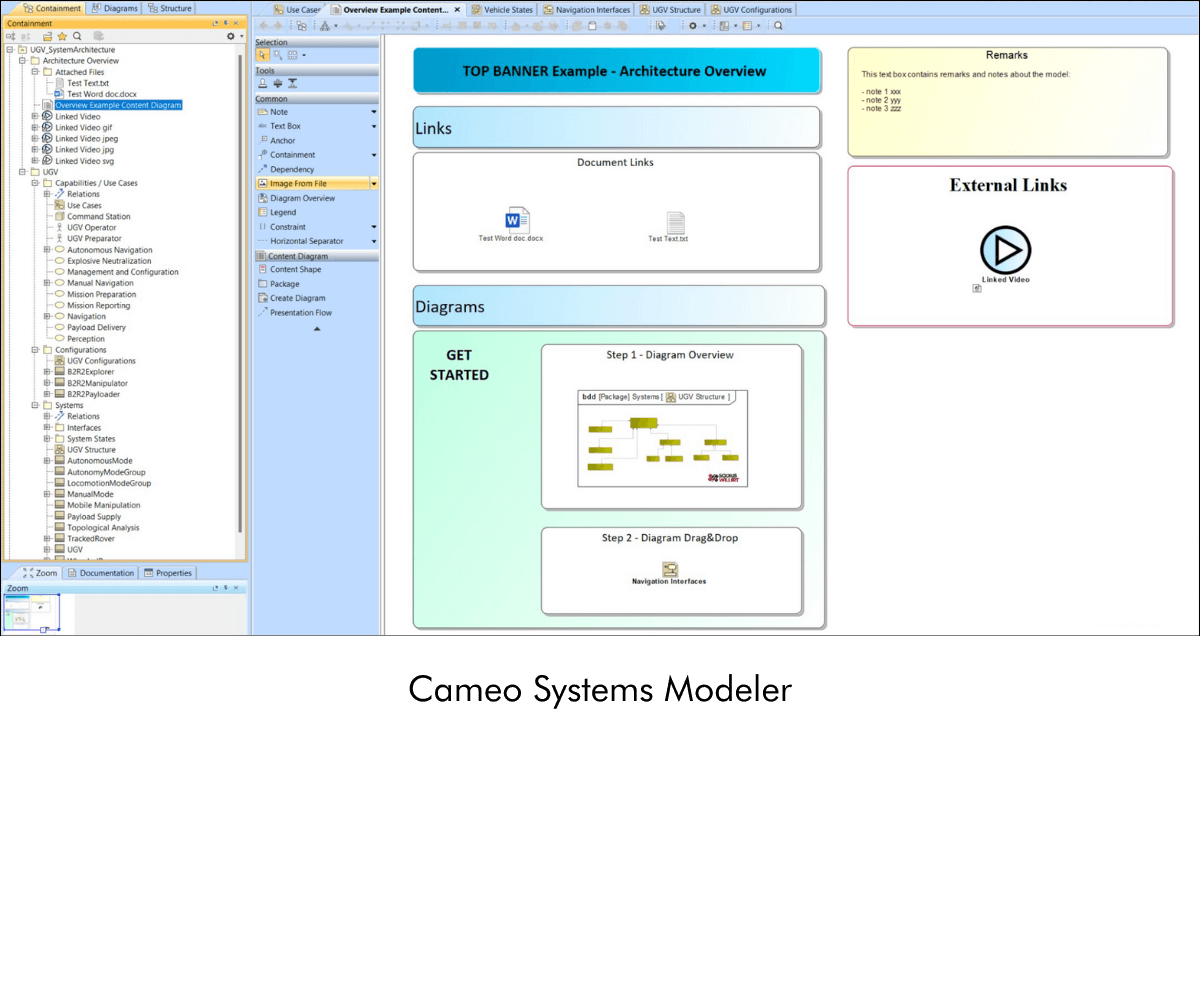
Publisher for Rhapsody - Cameo Importer supports the conversion of Content diagrams and free shapes (non-UML elements) such as images, text boxes and rectangles, colors, attached files, hyperlinks, Font Family, and size from Cameo Systems Modeler to IBM Rhapsody format.

Composite diagrams

Publisher for Rhapsody - Cameo Importer supports the conversion of MagicDraw or Cameo composite diagrams to the IBM Rhapsody format.

Target model check-ups

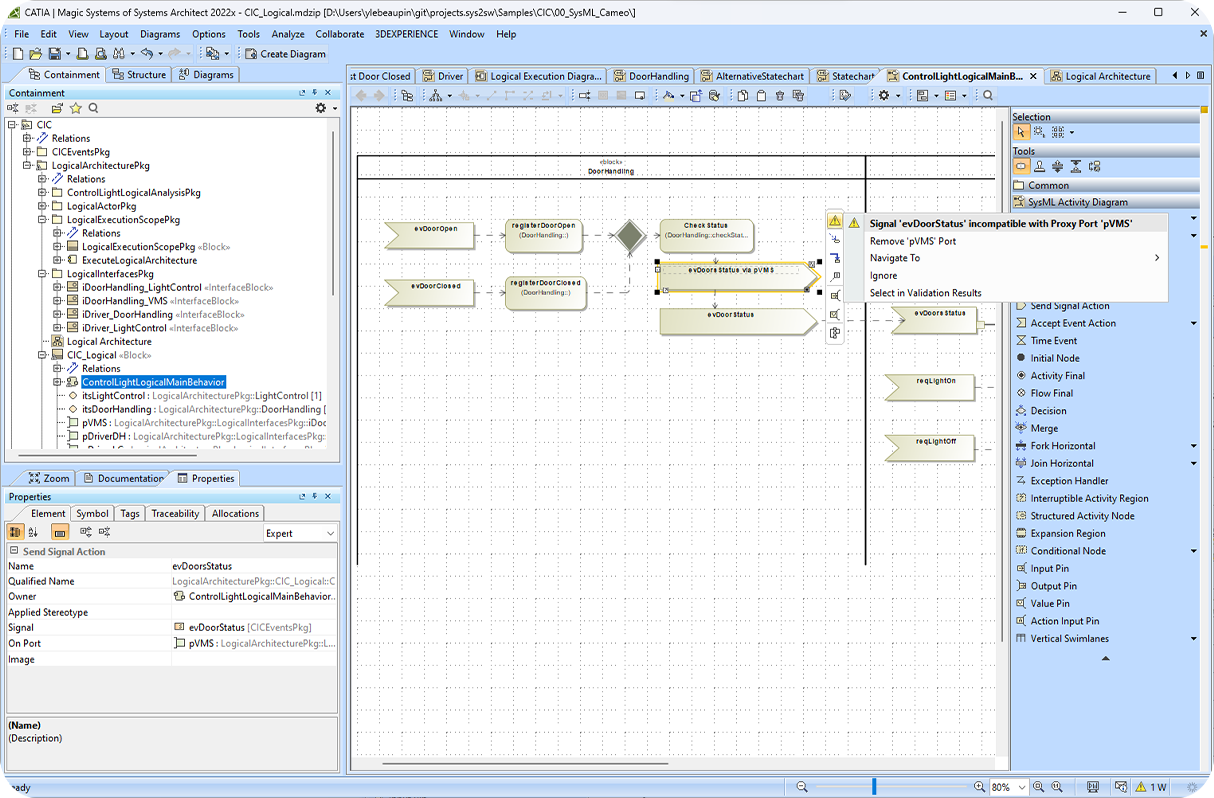
Leverage the model checking feature to identify, log, and report inconsistencies in the source model. One simple example, if some SysML ports/pins are incorrectly typed (type mismatch), in the source model, this will be transferred to the target model. This feature allows you to save time reworking or cleaning up your target models manually and can improve model quality. 

BENEFITS

Why A&D teams choose Publisher for IBM Rhapsody – Cameo Importer

In programs where modeling tool standardization is mandated at the contract level, Publisher for Rhapsody – Cameo Importer removes the toolchain barrier, protecting engineering investment and accelerating delivery.

Check mark_color_59x59px
Protect your modeling investment, deliver models in any required format

Publisher for IBM Rhapsody – Cameo Importer lets teams continue modeling in Cameo Systems Modeler while meeting contractual delivery requirements in IBM Rhapsody without sacrificing a single diagram, element, or relationship. It is the piece that connects your preferred environment and your program's required toolchain.

Check mark_color_59x59px
Save months of engineering time

Manually recreating a large SysML or UPDM model in a different tool can consume months of senior engineering resources. Automated conversion completes the same task in minutes, freeing engineers to focus on the work that matters.

Check mark_color_59x59px
Eliminate conversion errors

Manual model migration introduces transcription errors, missed relationships, and inconsistent diagram layouts. Automated conversion with built-in model checking ensures every element, diagram, and relationship arrives in Rhapsody intact and correctly structured.

Check mark_color_59x59px
Scale to any model size

Whether your program involves 100 diagrams or 100,000 model elements, Publisher handles conversion at scale, automatically, in minutes. Large UPDM Architecture Description models, multi-package SysML hierarchies, and extensive behavioral models are all supported.

Check mark_color_59x59px
Keep data secure and classified

No data is uploaded, transmitted, or processed outside your environment. The conversion runs entirely within your local MagicDraw or Cameo instance, and the resulting Rhapsody files are stored directly on your machine. Fully compatible with air-gapped and classified environments.

Check mark_color_59x59px
Enforce consistent modeling standards

Configurable transformation settings allow lead engineers and systems architects to define and consistently apply team modeling standards — naming conventions, display styling, and diagram layout preferences — across every conversion, eliminating ad hoc cleanup after import.

TRUSTED BY INDSUTRY LEADERS

The teams behind the world's most complex programs

SodiusWillert's Publisher products are used by A&D organizations globally from prime contractors to government agencies, to exchange complex systems models across program toolchains.

bae-systems-customers-sodiuswillert boeing-customers-sodiuswillert homeland-security-customers-sodiuswillert lmco-customers-sodiuswillert Northrop Grumman_Logo_400_150 raytheon-customers-sodiuswillert us-army-customers-sodiuswillert us-mda-customers-sodiuswillert us-navy-customers-sodiuswillert us-naval-air-systems-command-customers-sodiuswillert

Resources

Explore all our resources to learn how to exchange systems models between IBM Rhapsody and Cameo Systems Modeler.

FAQ

Frequently Asked Questions about Publisher for IBM Rhapsody - Cameo Importer

Everything you need to know before getting started with Publisher for IBM Rhapsody – Cameo Importer.

What modeling formats and diagram types does the Cameo Importer support?

Publisher for IBM Rhapsody – Cameo Importer supports the conversion of UML, SysML, and UPDM models from Cameo Systems Modeler and MagicDraw into IBM Rhapsody. This includes all model elements, user-defined profiles, and diagram layouts.

Supported diagram types include structural diagrams (elements, relationships, tagged values), behavioral diagrams (Use Case, Activity, State, Sequence), composite diagrams, and content diagrams including free shapes such as images, text boxes, rectangles, colors, fonts, attached files, and hyperlinks.

For UPDM models, Architecture Description, Packages, and Viewpoints are also converted.

Does the tool support iterative model exchange between Cameo and Rhapsody?

Yes. Publisher for IBM Rhapsody – Cameo Importer supports roundtrip transformations using unique identifiers (UIDs). This means you can run iterative Rhapsody → Cameo → Rhapsody and Cameo → Rhapsody → Cameo workflows without losing traceability or forcing a full re-import each time. This capability is particularly valuable for programs where systems engineers and software engineers work in different tools and need to synchronize models across project phases or at contractual delivery milestones.

Is my model data secure? Can the tool be used in a classified environment?

Yes. Publisher for IBM Rhapsody – Cameo Importer processes all model data locally, entirely within your Cameo or MagicDraw environment. No data is uploaded to external servers or cloud infrastructure at any point during the conversion. Converted Rhapsody files are stored directly on your machine. The tool is designed to be fully compatible with classified, air-gapped, and restricted computing environments commonly found in defense and government programs.

What license types are available?

Publisher for IBM Rhapsody – Cameo Importer is available under both floating (concurrent) and node-locked license models. Floating licenses allow any authorized user on your network to access the tool up to the number of concurrent seats purchased, making them ideal for larger teams with variable usage patterns. Node-locked licenses are tied to a specific machine, which suits secure or air-gapped environments where network-based license management is not feasible. Temporary and trial license options are also available. Contact SodiusWillert sales for volume pricing and multi-seat arrangements.

Is a free trial or evaluation available before purchasing?

Yes. SodiusWillert offers a free trial of Publisher for IBM Rhapsody – Cameo Importer. You can request a trial license directly from the SodiusWillert website. Trial licenses allow you to evaluate the full conversion workflow including model checking, diagram conversion, and transformation logging, against your own model data before making a purchase decision. Our team is available to support your evaluation and answer technical questions throughout the process.

How is the product priced?

Pricing for Publisher for IBM Rhapsody – Cameo Importer is based on license type (floating or node-locked) and the number of seats required. SodiusWillert offers flexible commercial arrangements for programs, including site licenses and multi-product bundles for organizations that use multiple Publisher products (for example, teams that also need Publisher for IBM Rhapsody for Cameo-to-Rhapsody and Rhapsody-to-Cameo conversions). For a quote tailored to your program's requirements, contact the SodiusWillert sales team.

Ready to eliminate manual model conversion?

Request a free trial and convert your first Cameo model to Rhapsody in minutes.

Fichier 1 1 1