For German language blog
Convert SPARX Enterprise Architect models into Cameo Systems Modeler (MagicDraw) models
Convert IBM Rhapsody models into Cameo Systems Modeler (MagicDraw) models
Convert Cameo Systems Modeler (MagicDraw) models into IBM Rhapsody models
Convert IBM Rational Software Architect models into Cameo Systems Modeler (MagicDraw) models
Convert UNICOM System Architect models into Cameo Systems Modeler (MagicDraw) models
Model-based model-to-model transformation in Rhapsody
Connect ReqIF Compatible Requirements data to your Modeling Environment
UML-based Software Development for AUTOSAR Classic Platform
Unlock the benefits of UML modeling for Software Development
Leverage the full scope of UML for Model-Based Development of Embedded Systems
Simplify UML-based development of certification-ready source code
Enhance transparency and visibility of engineering data across the software development project with OSLC Connect for Jira and IBM Engineering Lifecycle Management (ELM).
| Currently available for: |
OSLC Connect for Jira bridges the gap between Jira Software and IBM Engineering Lifecycle Management and reduces the time and effort spent searching for scattered engineering data needed for software development. See what you can do with OSLC Connect for Jira.
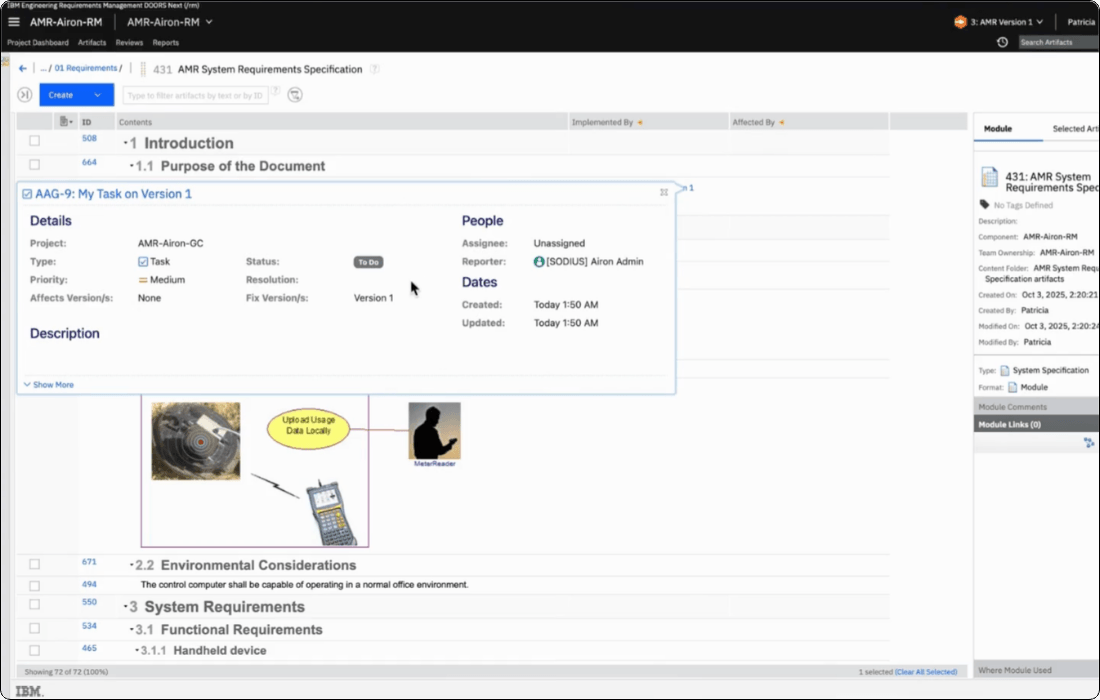
In your IBM ELM repository (ie. DOORS Next, EWM, ETM, RMM), simply hover on your linked artifact to expand a preview of your Jira epic, bug, story, etc.
OSLC Connect for Jira will always display real-time data as well as the latest version of the artifact in IBM ELM.
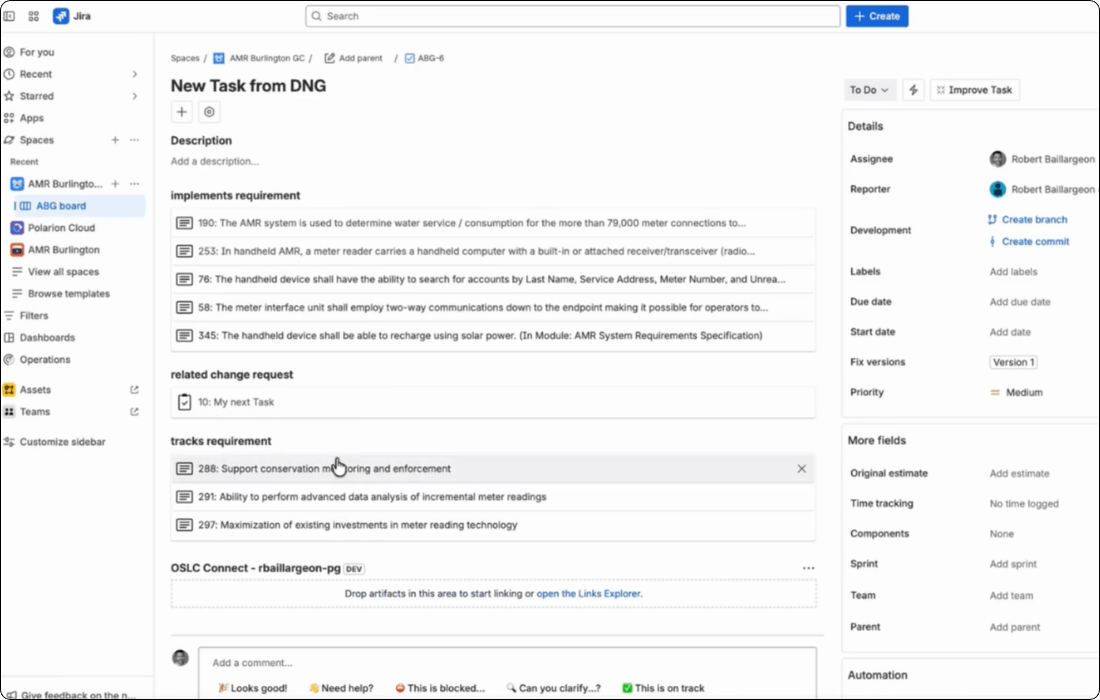
In Jira, hover on your linked artifact to expand a preview of your IBM ELM requirement, test case, test result, etc. OSLC Connect for Jira will always display real-time data and the latest version of the artifact in Jira.
Click on the link to navigate to the artifact in its native IBM ELM repository.
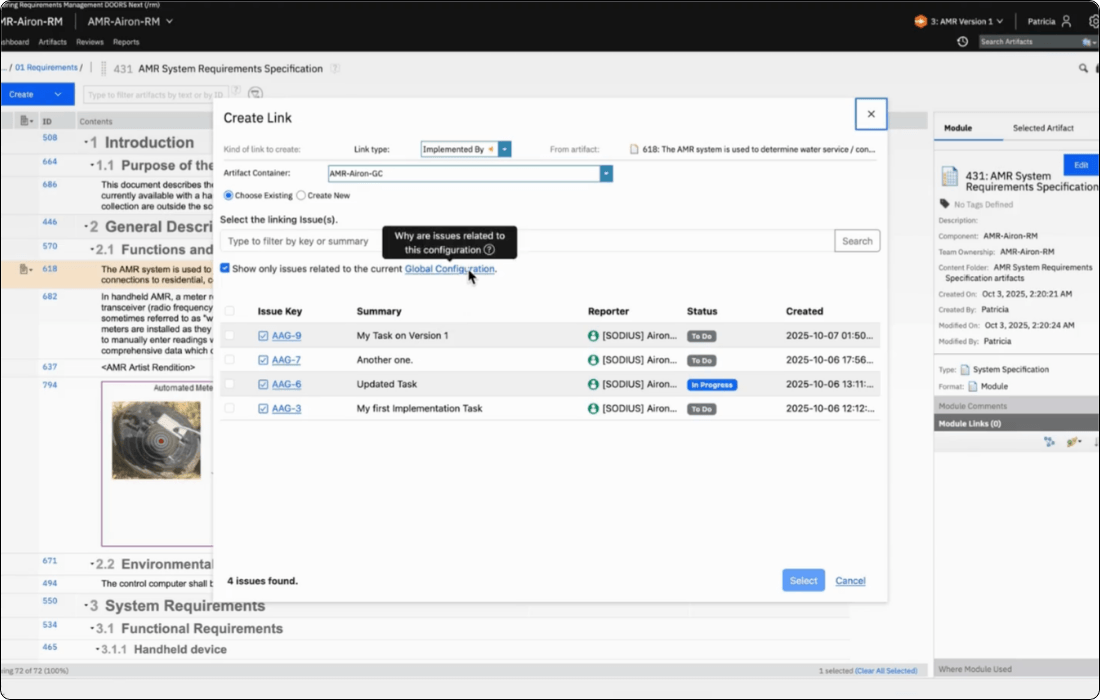
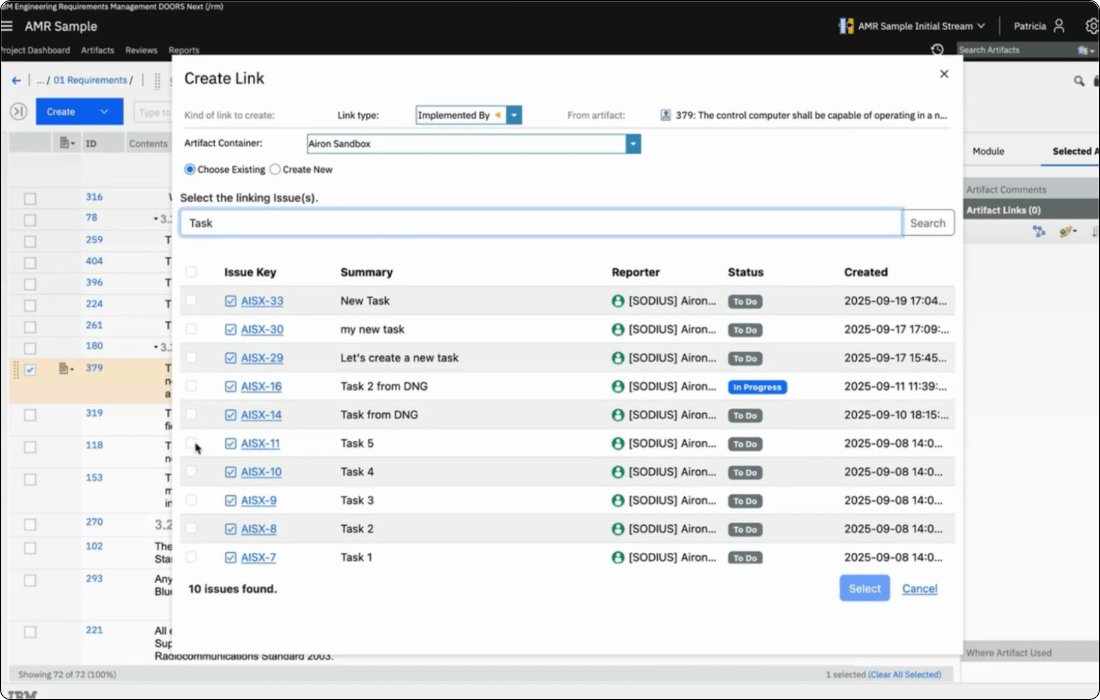
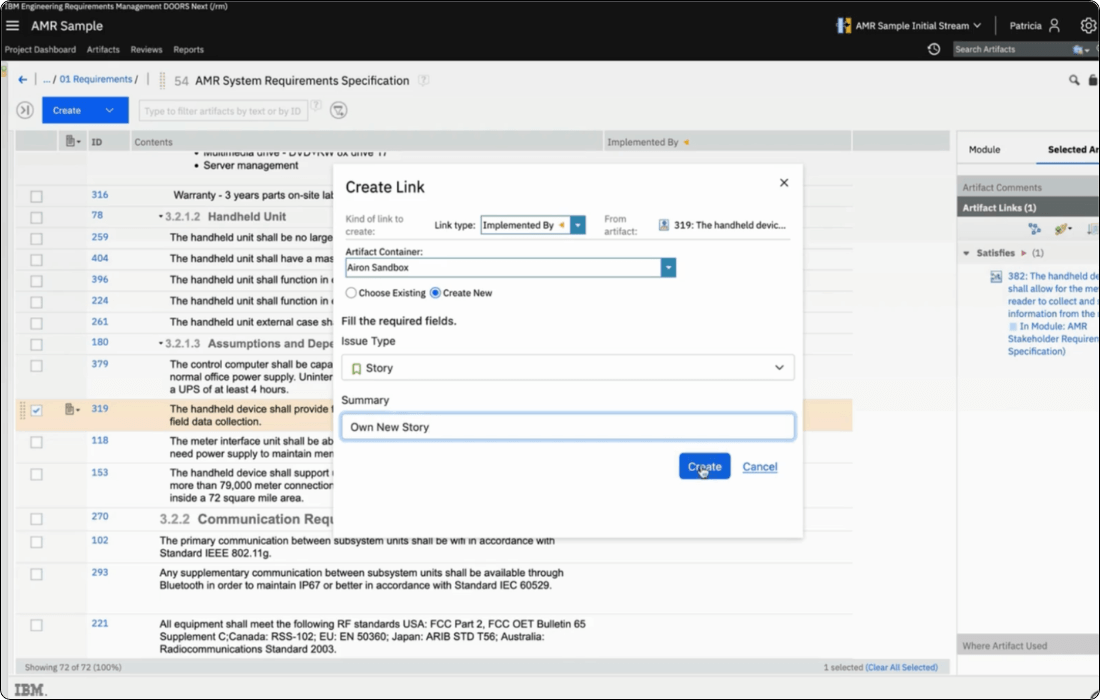
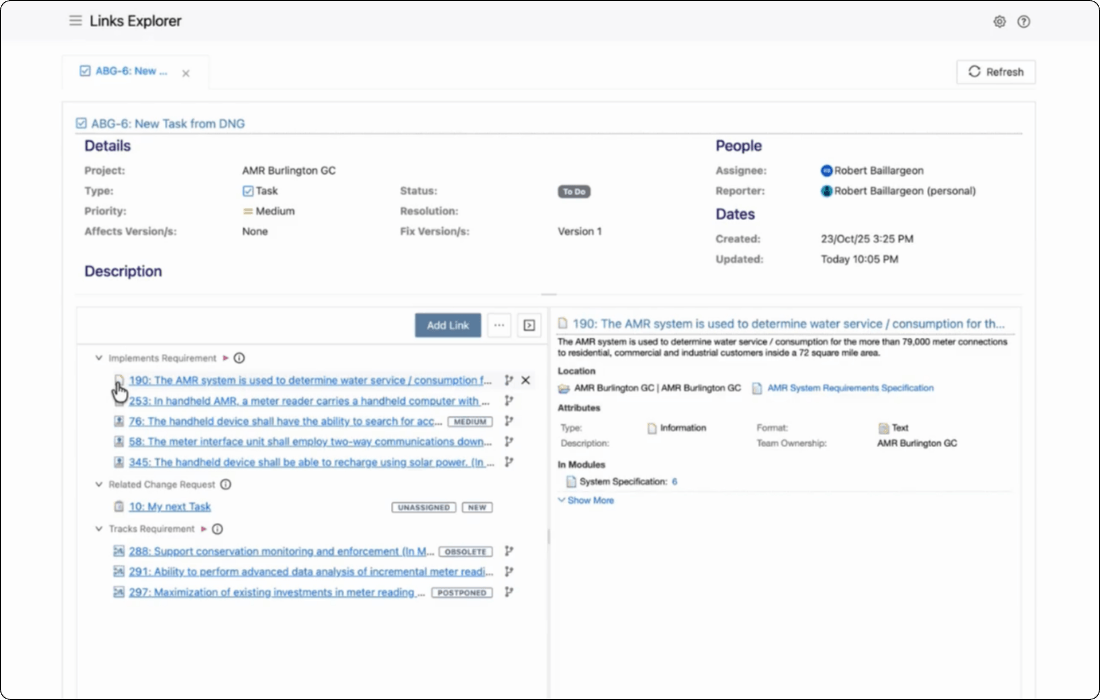
OSLC Connect for Jira allows you to create bidirectional links to create and track relationships between your Jira issues and IBM ELM artifacts.
You can create any new Jira issues types from IBM ELM, capture IBM ELM data in Jira, manage Jira issues in IBM ELM, and much more.
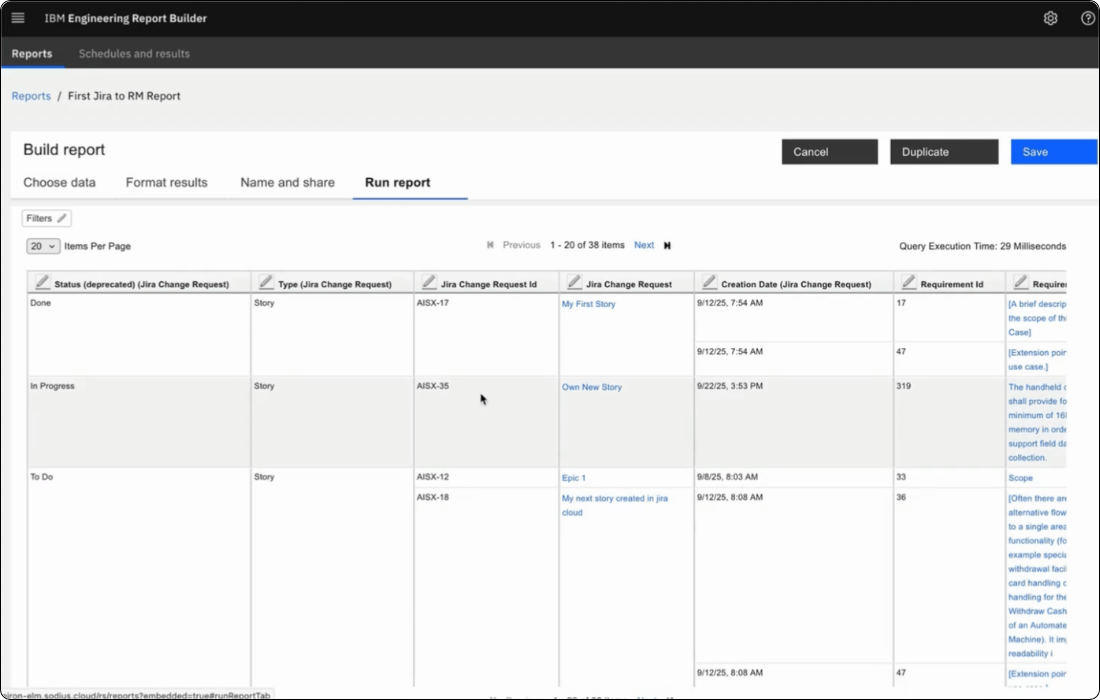
Get more visibility on engineering projects by including Jira data in your reports in IBM Report Builder. No need to manually aggregate data from different repositories: create reports using OSLC to access information and links across all repositories.
Track relationships from requirements in DOORS Next to Jira artifacts, and customize your reports with attributes to show specific Jira artifacts in your reports.
Map Jira releases to OSLC configurations and create a solid basis for managing multi-variant engineering projects.
Mapping can be one-to-one (one global configuration mapped to a single Jira release), or multiple OSLC configurations can link to the same Jira release. Make sure to establish a consistent configuration management process including workflows, reviews, and approvals.
OSLC Connect for Jira lets you full control over what users see when they hover or click on a linked artifact. Administrators can configure previews for each artifact type and OSLC provider so that previews of DOORS Next requirements, ETM test cases, EWM work items, and Rhapsody models show only information that matters.
Administrators can tailor the integration so it works the way your organization does. Issue-type mappings let you decide which Jira issue type is created from each ELM context. For example, bugs from ETM defects, stories from “implements requirement” links, and tasks for change-set approvals. If your process shifts, the mapping can be updated without impacting existing links.
OSLC Connect for Jira leverages the Open Services for Lifecycle Collaboration (OSLC) standard to establish trusted connections between tools.
Keep your Jira and IBM ELM teams aligned and up-to-date on the project's status. OSLC Connect for Jira leverages linked data which ensures that teams always access real-time Jira artifacts in IBM ELM and IBM artifacts in Jira.
Contrary to synchronization solutions, OSLC Connect for Jira does not copy data. The OSLC standard provides a secure framework to access and display remote data across software development tools. With the ability to reference remote data without creating copies, OSLC Connect for Jira ensures that your data remains in its native repository at all times.
The OSLC standard provides a secure framework to access and display remote real-time data across Jira and IBM ELM. With the ability to reference remote data without creating copies, OSLC Connect for Jira ensures that your data remains in its native repository at all times.
Explore our resources to help you connect Jira Software to IBM Engineering Lifecycle Management.
Discover how to leverage OSLC Connect for Jira to connect Jira to IBM Engineering Lifecycle Management in this recorded integration demonstration video.
Watch our how-to Training videos for Admins and users to learn how to configure and use OSLC Connect for Jira with IBM ELM.
Still have questions? Head over to our Documentation for OSLC Connect for Jira installation, configuration, and usage guides.
Can’t find what you are looking for? Do you have a feature request, or have a bug to report? Contact our support team. We’re always happy to hear from you.
For German language blog
Don't hesitate to contact us with any questions you may have about connecting Jira Software with IBM ELM with OSLC Connect for Jira. If you'd like to try OSLC Connect for Jira for free for 30 days, visit the Atlassian Marketplace to start your free trial!
Sodius SAS
34 Boulevard du Maréchal A. Juin
44100 Nantes, France
Sodius Corp
14362 N Frank Lloyd Wright Blvd
Suite 1000
Scottsdale, AZ 85260, USA
Willert Software Tools GmbH
Hannoversche Str. 21,
31675 Bückeburg, Germany
With a unified vision, Sodius and Willert together execute on their mission to enable the thread of engineering through enterprise integration of engineering data. Both companies bring a unique yet complementary background of technology, expertise, and experience into a centralized brand to connect the engineering information that drives today’s complex and regulated products.
UNITED STATES
418 N. Main Street 2nd Floor/Suite 200,
Royal Oak, MI 48067, USA
+1 (248) 270-2950
FRANCE
Sodius SAS
34 Boulevard du Maréchal A. Juin
44100 Nantes, France
+33 (0)2 28 23 60 60
GERMANY
Willert Software Tools GmbH
Hannoversche Str. 21,
31675 Bückeburg, Germany
+49 5722 - 9678 60